![Claude Code Review 2026: क्या यह Best AI Coding Tool है? [Honest]](/images/posts/claude-code-review/claude-code-review-featured.webp)
⚡ Quick Verdict
Rating: 4.5/5 ⭐⭐⭐⭐½
Claude Code एक genuinely powerful AI coding assistant है जो non-coders और developers दोनों के लिए काम करता है। Terminal में natural language commands देने पर पूरी project बना देता है। Cursor से ज्यादा powerful, लेकिन थोड़ा सीखना पड़ता है।
किसके लिए: Non-coders, Vibe Coders, Developers
कीमत: $20/month (Claude Pro)
सबसे बड़ा फायदा: पूरी codebase को समझकर काम करता है
मेरी कहानी — एक Non-Coder का Claude Code से सामना
मेरा नाम Kunal Prakash है। मैं Bihar से Plastic Pipe Industry में Service Engineer हूँ। मेरा रोज़ का काम है Extrusion Machines की servicing — software से इसका कोई लेना-देना नहीं।
फिर भी, 2025 के अंत में, मैंने एक पूरी developer tools website बना दी — बिना एक लाइन code खुद लिखे। वो website है CodePreviewer.com, जिसपर आप अभी यह article पढ़ रहे हैं।
इस पूरी journey में जो tools सबसे ज्यादा काम आए उनमें से एक था — Claude Code।
"जब पहली बार terminal में लिखा 'Claude, mujhe ek JSON formatter tool banana hai' और कुछ मिनटों में पूरा component बनकर आ गया — तब मुझे लगा, यह वाकई कुछ नया है।"
यह review उसी experience पर based है। कोई sponsored content नहीं, कोई affiliate pressure नहीं — बस एक honest आदमी की honest बात।
Claude Code क्या है?
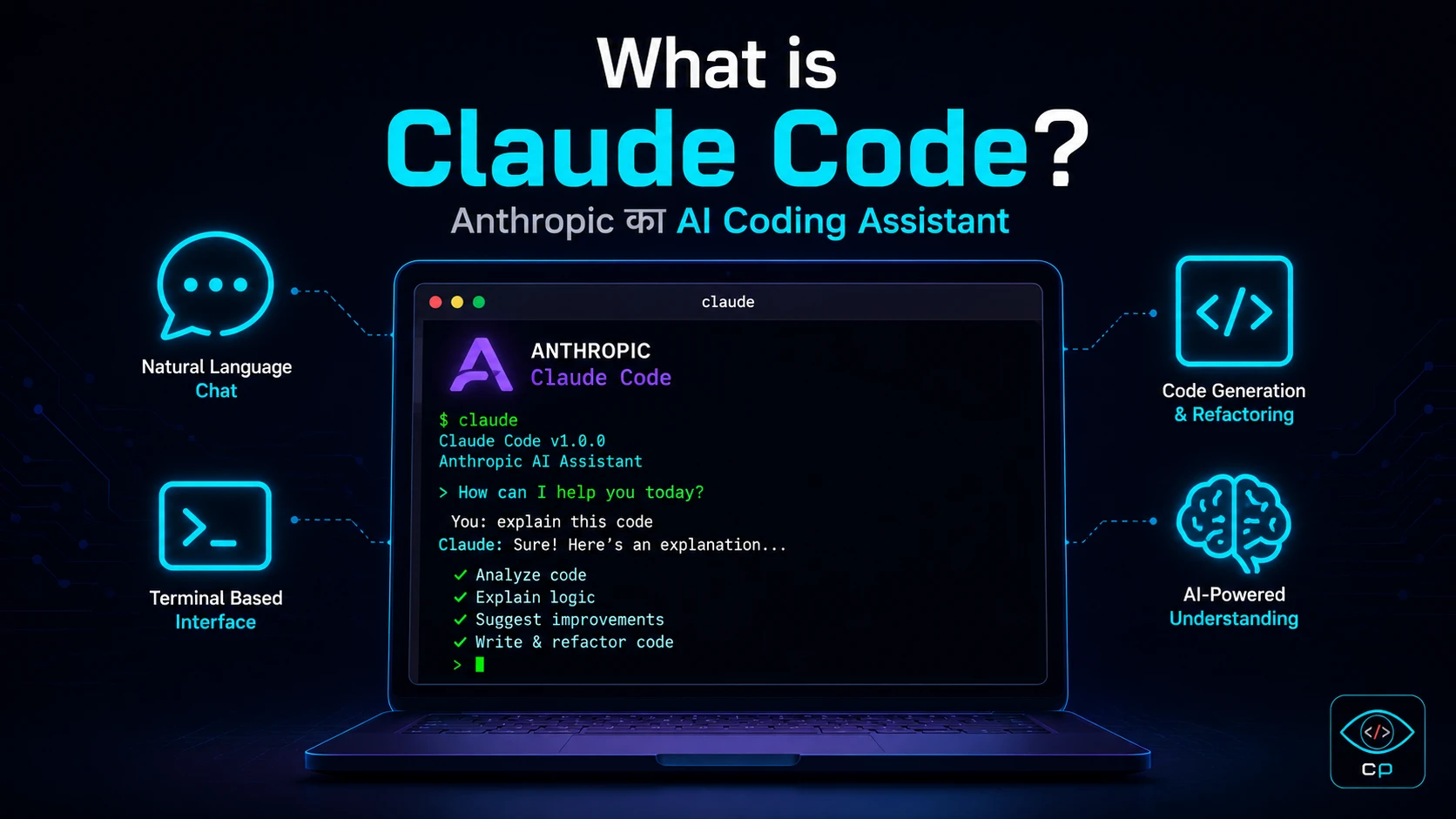 Claude Code क्या है — Anthropic का AI coding assistant
Claude Code, Anthropic का AI-powered coding assistant है। Anthropic वही company है जिसने Claude chatbot बनाया है — जिसे आप शायद claude.ai पर use करते हैं।
लेकिन Claude Code, regular Claude से अलग है। यह एक agentic coding tool है जो:
- आपके computer के terminal में चलता है
- आपकी पूरी project के files पढ़ सकता है
- खुद code लिख सकता है और save कर सकता है
- Terminal commands run कर सकता है
- Errors देखकर खुद fix कर सकता है
- Git commits तक कर सकता है
सीधे शब्दों में — Claude Code एक ऐसा AI है जो आपके कहने पर पूरी project बना सकता है, बिना आपको एक लाइन code लिखे।
💡 Simple Analogy: अगर Claude.ai एक chatbot है जो आपको code बताता है, तो Claude Code एक AI developer है जो खुद आपके computer पर बैठकर काम करता है।
Installation और Setup — कैसे शुरू करें?
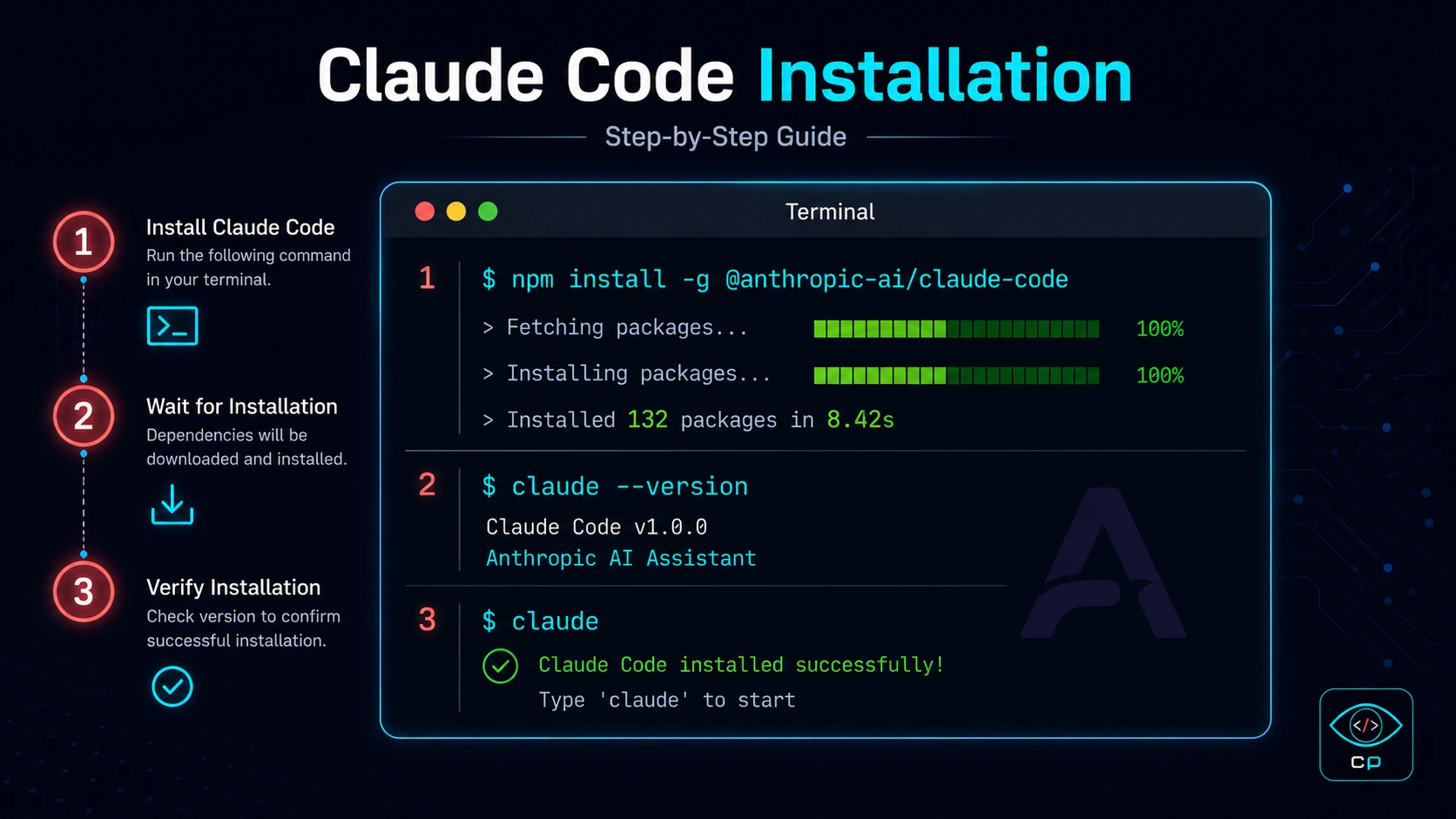 Claude Code को install करने के steps
Claude Code install करने के लिए आपके computer पर Node.js होना जरूरी है। अगर नहीं है तो nodejs.org से install करें।
Step 1: Install करें
npm install -g @anthropic-ai/claude-code
Step 2: API Key Set करें
Anthropic की website पर जाकर API key बनाएं और terminal में:
export ANTHROPIC_API_KEY="your-api-key-here"
Step 3: Project folder में जाएं
cd your-project-folder
claude
Step 4: बात करें!
अब बस लिखें जो चाहते हैं:
> Mujhe ek dark theme wala HTML sandbox tool banana hai
🔧 Pro Tip: Claude Code को किसी भी existing project के folder में run करें। वो automatically सारी files पढ़ लेगा और context समझ लेगा। नई project के लिए empty folder भी ठीक है।
Setup में मुझे personally 15 मिनट लगे — और यह मैं कह रहा हूँ जिसे terminal से पहले डर लगता था।
Key Features — जो मुझे सच में पसंद आए
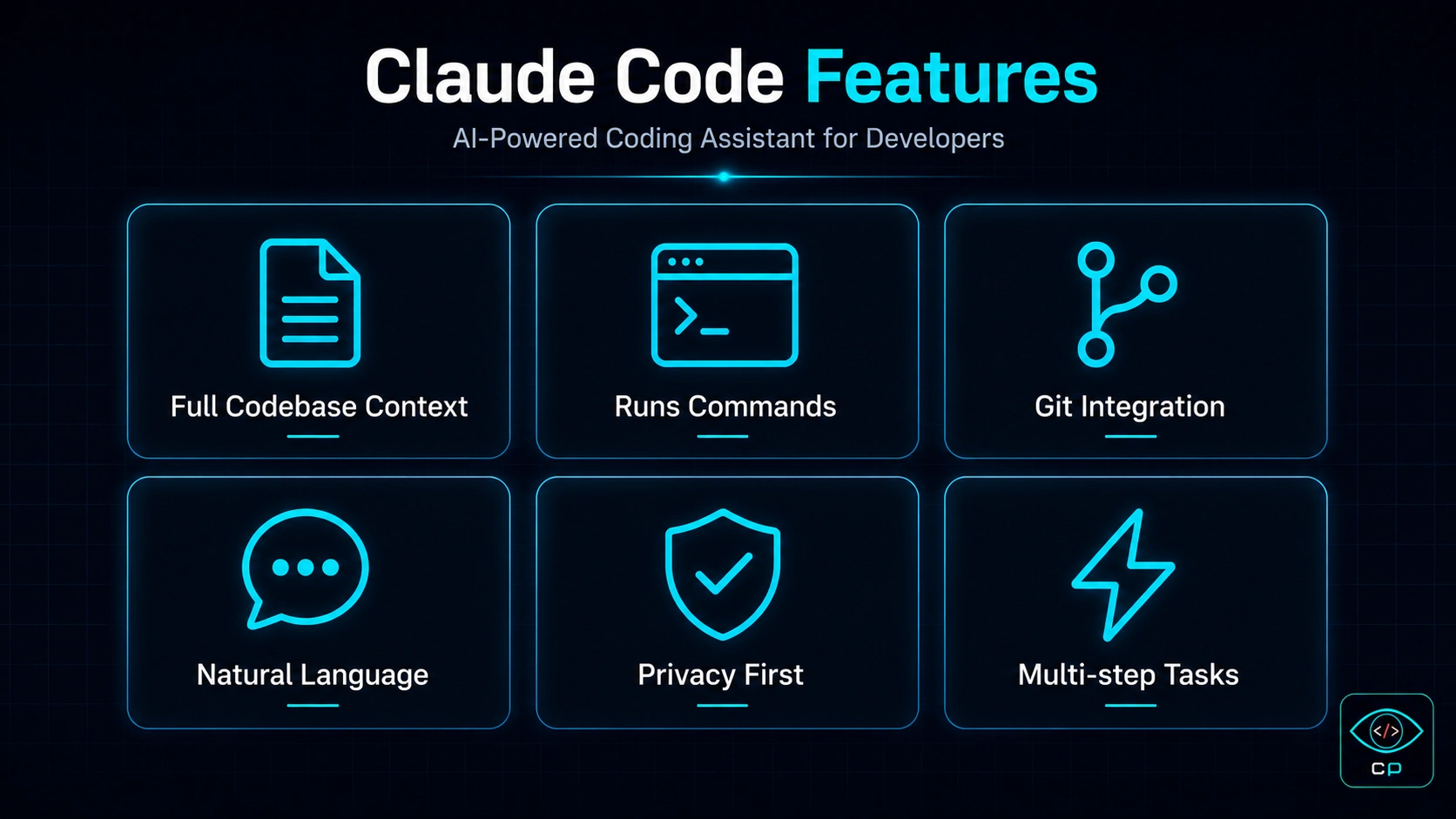 Claude Code के main features और capabilities
1. Full Codebase Context
यह Claude Code का सबसे powerful feature है। जब आप किसी project के folder में Claude Code run करते हैं, तो वो सभी files एक साथ पढ़ता है। इसका मतलब है कि अगर आपने 50 files का project बना रखा है, तो Claude Code उन सभी को समझकर changes करेगा — कहीं कुछ टूटेगा नहीं।
2. Terminal Commands Run करना
Claude Code सिर्फ code नहीं लिखता — वो उसे run भी करता है। npm install, build commands, server start — सब खुद करता है। आपको manually कुछ नहीं करना।
3. Error को खुद Fix करना
यह feature मुझे सबसे ज्यादा पसंद आया। अगर कोई error आती है, Claude Code उसे देखता है, analyze करता है, और खुद fix करने की कोशिश करता है। अक्सर बिना आपसे पूछे।
4. Natural Language में Commands
Hindi में भी काम करता है! मैंने personally Hindi और Hinglish में commands दिए और Claude Code ने perfectly समझे। "Is page ka design dark kar de aur navigation mein ek aur link add kar" — यह काम किया।
5. Git Integration
Claude Code git commands भी run कर सकता है। Code लिखा, commit किया, push किया — यह पूरा cycle Claude Code खुद handle कर सकता है।
6. Multi-step Agentic Tasks
एक बड़ा task दें — जैसे "मुझे एक complete calculator tool बनाना है with dark theme, copy button, और mobile responsive design" — Claude Code उसे छोटे-छोटे steps में तोड़कर, एक-एक करके पूरा करेगा।
मेरा Real Experience — CodePreviewer बनाते वक्त
जब मैं CodePreviewer.com बना रहा था, तो Claude Code का use मैंने mainly इन कामों के लिए किया:
JSON Viewer Tool बनाना
मैंने लिखा: "Ek JSON viewer tool banao jo JSON ko tree structure mein dikhaye, format kare, minify kare aur dark theme mein ho."
Claude Code ने:
- पूरा component file बनाया
- CSS styling add की
- Error handling लगाई
- Copy button feature add किया
- Mobile responsive बनाया
यह सब करीब 8 मिनट में हो गया।
Bug Fix करना
एक बार JWT Decoder tool में एक bug था — invalid token पर crash हो जाता था। मैंने इतना लिखा: "JWT decoder mein ek bug hai, invalid token dene pe crash ho jaata hai"
Claude Code ने पूरी file पढ़ी, bug ढूंढा, fix किया, और test भी किया। मुझे code देखना तक नहीं पड़ा।
"एक Service Engineer जिसे coding नहीं आती, उसने Claude Code की मदद से 11 developer tools बनाए — यह कोई marketing tagline नहीं, यह मेरी real story है।"
एक बात जो मुझे सीखनी पड़ी
Claude Code सब कुछ नहीं कर सकता — इसे clear instructions चाहिए। जितना specific आप बताएंगे, उतना अच्छा result मिलेगा। Vague commands पर vague results आते हैं।
Claude Code vs Cursor vs GitHub Copilot
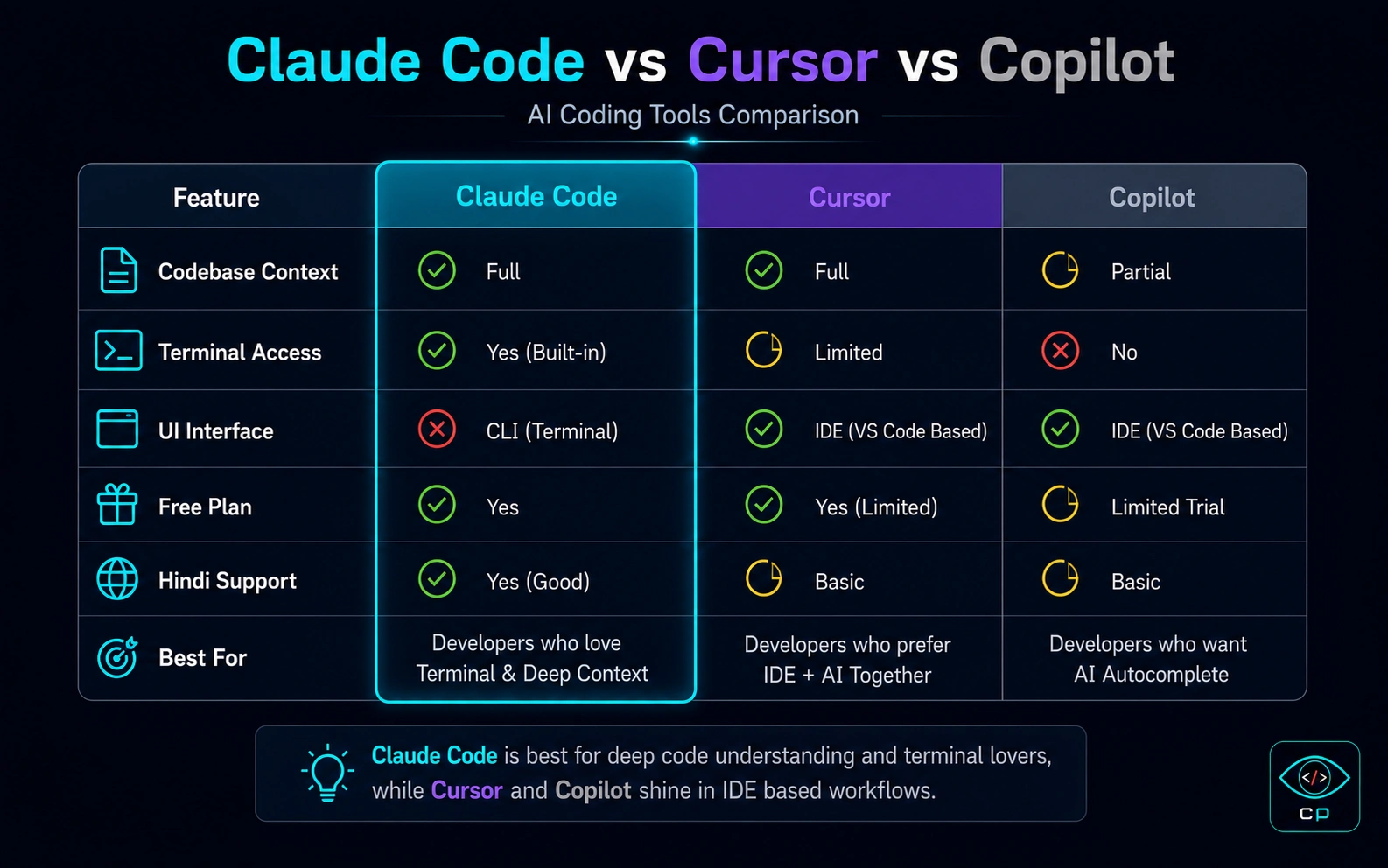 तीनों tools का comparison — क्या अलग है?
| Feature | Claude Code | Cursor | GitHub Copilot |
|---|---|---|---|
| Interface | Terminal (CLI) | GUI Editor | VS Code Plugin |
| Codebase Context | ✅ पूरी project | ✅ अच्छा | ⚠️ Limited |
| Command Execution | ✅ खुद run करता है | ⚠️ Limited | ❌ नहीं |
| Non-coder Friendly | ⚠️ Terminal सीखना होगा | ✅ बहुत आसान | ✅ Easy |
| Hindi Support | ✅ हाँ | ✅ हाँ | ⚠️ Partial |
| Free Plan | ⚠️ Limited | ✅ Free tier है | ✅ Free tier है |
| Agentic Tasks | ✅ Best in class | ✅ अच्छा | ❌ नहीं |
| Price | $20/month | $20/month | $10/month |
मेरी राय:
- Cursor — अगर आप एक visual editor चाहते हैं जो VS Code जैसा दिखे और AI भी हो, तो Cursor AI बेहतर है। यह beginners के लिए perfect है। आप हमारी गाइड Cursor AI से Vibe Coding कैसे करें देख सकते हैं।
- Claude Code — अगर आप complex, multi-step tasks automatically करवाना चाहते हैं और terminal से डर नहीं लगता, Claude Code unbeatable है।
- Copilot — अगर आप already VS Code use करते हैं और बस code suggestions चाहते हैं, Copilot काफी है।
मैंने personally दोनों Cursor AI और Claude Code use किए हैं। Simple tasks के लिए Cursor, complex agentic work के लिए Claude Code। आप और भी विकल्प हमारे AI Tools Directory में देख सकते हैं।
Pricing — कितना खर्च आएगा?
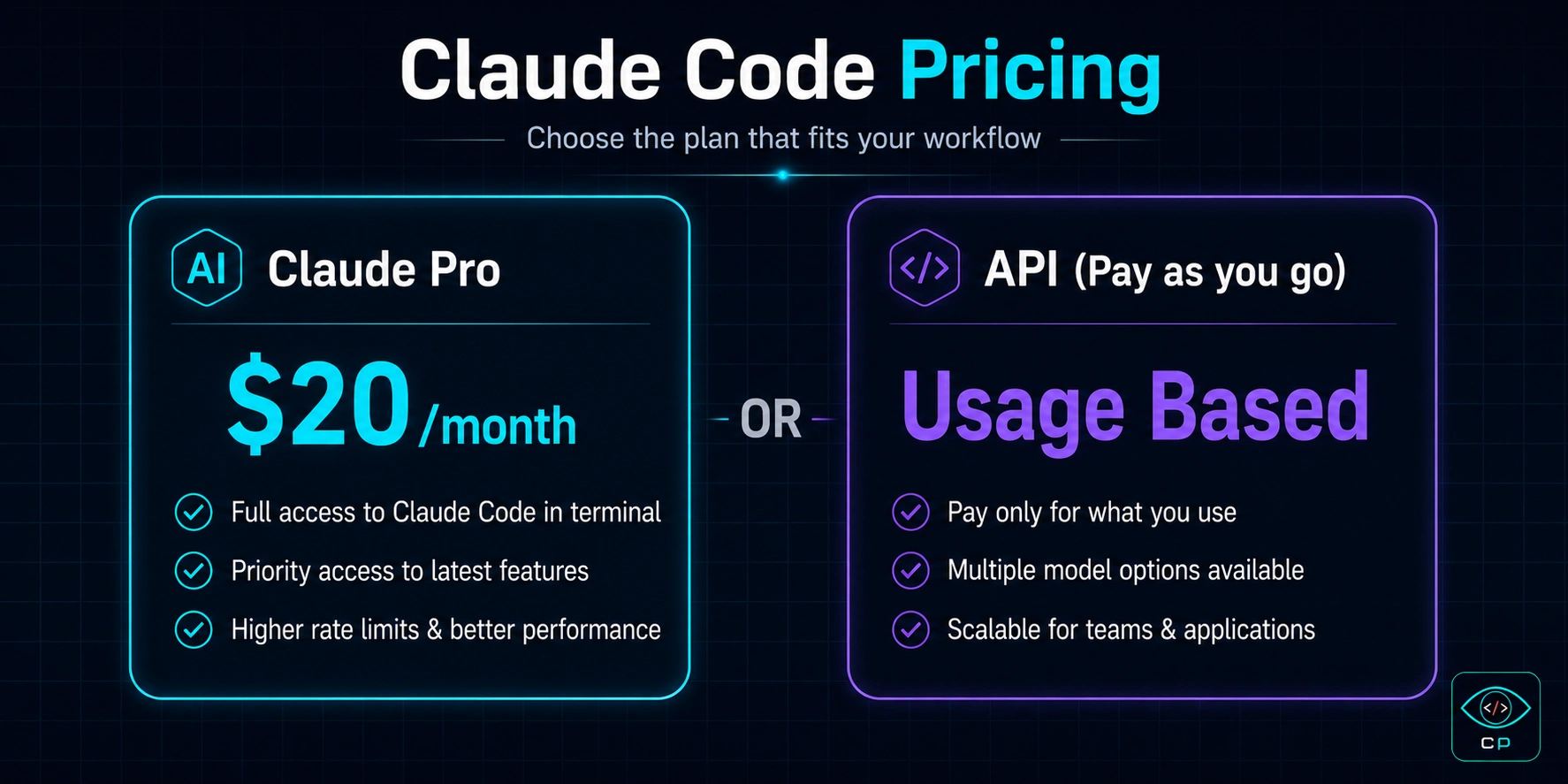 Claude Code के pricing options
Option 1: Claude Pro ($20/month)
Claude.ai का Pro subscription लें और Claude Code को उससे connect करें। यह सबसे आसान और सस्ता option है। Monthly usage limit है लेकिन normal use के लिए काफी है।
Option 2: Anthropic API (Pay as you go)
Heavy users के लिए API directly use करें। Per token billing होती है। अगर आप professional level पर बहुत use करते हैं तो यह ज्यादा cost-effective हो सकता है।
💡 मेरी Suggestion: शुरुआत Claude Pro ($20/month) से करें। अगर limit hit होने लगे तो API पर shift करें। CodePreviewer पूरा बनाने में मुझे Pro plan ही काफी था।
क्या यह Value for Money है?
Honestly — हाँ। एक developer hire करने का खर्च ₹20,000-50,000 per month होता है। Claude Code से आप उसी काम का 30-40% खुद कर सकते हैं $20 में। ROI बहुत अच्छा है।
Pros और Cons — Honest Assessment
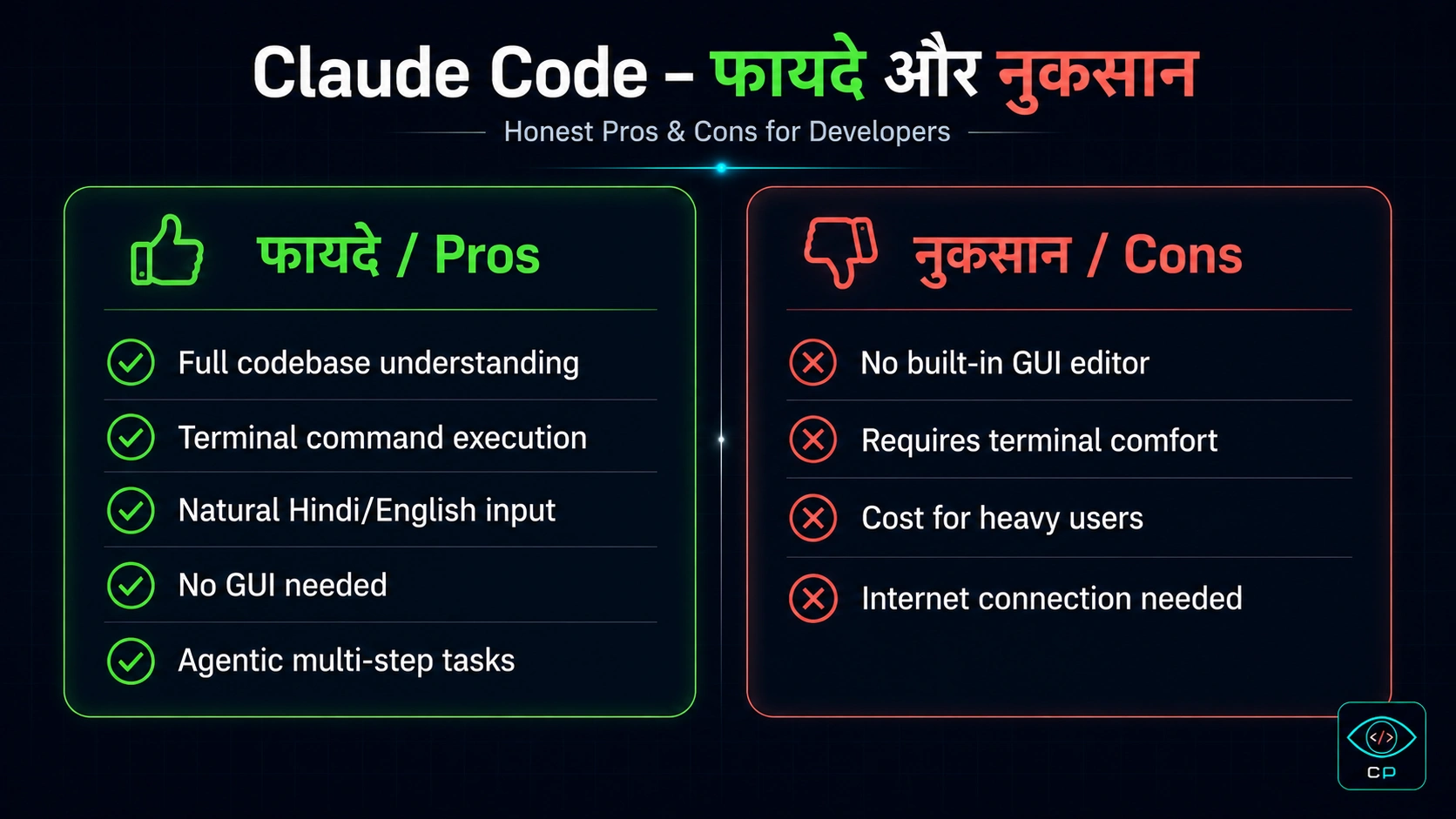 Claude Code — फायदे और नुकसान
✅ फायदे (Pros)
- Full codebase understanding — पूरी project को context में समझता है
- Terminal command execution — सिर्फ code नहीं, run भी करता है
- Natural Hindi/English input — जैसे बोलें वैसे समझता है
- Self-correcting — errors खुद ढूंढकर fix करता है
- Agentic multi-step tasks — बड़े complex tasks भी handle करता है
- Git integration — commit और push भी कर सकता है
- No GUI needed — lightweight, fast
❌ नुकसान (Cons)
- Terminal knowledge जरूरी — complete beginners को थोड़ा सीखना होगा
- No built-in GUI editor — visual editing नहीं होती
- Cost — heavy users के लिए महंगा हो सकता है
- Internet required — offline काम नहीं करता
- Sometimes slow — complex tasks में time लगता है
किसे Use करना चाहिए?
✅ Claude Code आपके लिए है अगर:
- आप Vibe Coder हैं — ideas हैं, coding नहीं आती
- आप side project बनाना चाहते हैं कम समय में
- आप existing project में features add करना चाहते हैं
- Terminal से थोड़ा familiar हैं या सीखने को तैयार हैं
- Complex, multi-step tasks automate करना चाहते हैं
- Bloggers/creators जो अपनी website खुद बनाना चाहते हैं
⚠️ Shayad आपके लिए नहीं अगर:
- आप terminal से completely डरते हैं (तब Cursor try करें)
- आपको visual editing चाहिए (Cursor better है)
- Budget बिल्कुल zero है (GitHub Copilot का free tier देखें)
Final Verdict और Rating
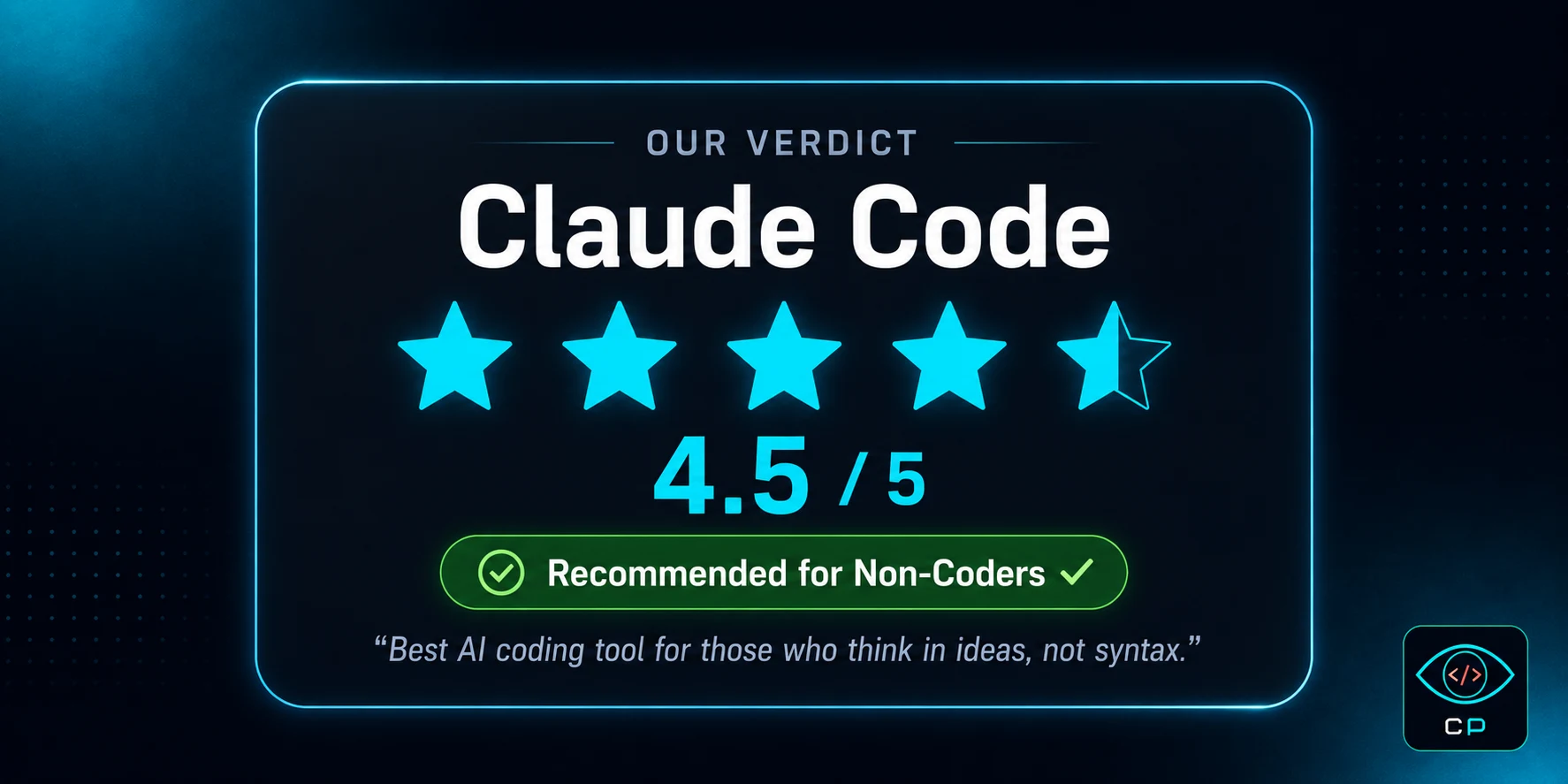 Claude Code — हमारा final verdict
Claude Code — Overall Rating
| Features | ⭐⭐⭐⭐⭐ 5/5 |
| Ease of Use | ⭐⭐⭐⭐ 4/5 |
| Value for Money | ⭐⭐⭐⭐½ 4.5/5 |
| Non-coder Friendly | ⭐⭐⭐⭐ 4/5 |
| Speed & Reliability | ⭐⭐⭐⭐½ 4.5/5 |
Claude Code 2026 में AI coding tools की दुनिया में एक genuinely impressive product है। यह सिर्फ एक code autocomplete नहीं है — यह एक AI developer है जो आपके साथ मिलकर काम करता है।
मैं खुद इसका सबसे बड़ा example हूँ। एक Service Engineer जिसे coding नहीं आती, उसने Claude Code की मदद से एक पूरी developer tools website बनाई। अगर मैं कर सकता हूँ, तो आप भी कर सकते हैं।
हाँ, terminal से थोड़ा डर लगता है शुरू में। लेकिन एक हफ्ते में आप comfortable हो जाएंगे। और उसके बाद जो possibilities खुलती हैं — वो अनमोल हैं।
Recommendation: जरूर try करें। Claude Pro का free trial लें, एक छोटा project बनाने की कोशिश करें। अगर आपकी idea है, Claude Code उसे reality बना सकता है।
अक्सर पूछे जाने वाले सवाल (FAQ)
Claude Code free है या paid?
Claude Code paid tool है। इसे use करने के लिए Claude Pro subscription ($20/month) या Anthropic API key की जरूरत होती है। एक limited free trial ज़रूर available है जिससे आप पहले test कर सकते हैं।
क्या Claude Code बिना coding knowledge के use हो सकता है?
हाँ! यही Claude Code की सबसे बड़ी खासियत है। आप natural language में — Hindi या English में — बोलें, Claude Code काम करता है। हालाँकि terminal की basic knowledge helpful है। मैंने खुद बिना coding knowledge के use किया है।
Claude Code vs Cursor — कौन बेहतर है?
दोनों के अलग use cases हैं। Cursor एक GUI editor है जो VS Code की तरह दिखता है — beginners के लिए आसान। Claude Code terminal-based है — complex agentic tasks के लिए ज्यादा powerful। Non-coders के लिए Cursor ज्यादा friendly, serious builders के लिए Claude Code ज्यादा powerful।
Claude Code Windows पर काम करता है?
हाँ, Claude Code Windows, Mac, और Linux तीनों पर काम करता है। Windows पर WSL (Windows Subsystem for Linux) के साथ best experience मिलता है। PowerShell में भी run होता है।
Claude Code GitHub Copilot से कैसे अलग है?
GitHub Copilot mainly एक code autocomplete tool है जो VS Code में काम करता है। Claude Code एक complete AI developer है जो files बना सकता है, commands run कर सकता है, errors fix कर सकता है और पूरे projects manage कर सकता है। Copilot सस्ता है, Claude Code ज्यादा capable।
क्या Claude Code Hindi में commands समझता है?
हाँ! मैंने personally Hindi और Hinglish दोनों में commands try किए हैं और Claude Code ने perfectly समझा। "Is page mein ek dark mode button add karo" जैसी commands काम करती हैं।
Claude Code से एक website बनाने में कितना समय लगता है?
यह complexity पर depend करता है। एक simple landing page 30-60 मिनट में बन सकती है। CodePreviewer जैसी complex site — 11 tools, bilingual, full blog system — में मुझे करीब 2-3 महीने लगे (part-time, job के साथ)।
क्या Claude Code safe है? मेरा code कहीं जाता है?
Anthropic की privacy policy के according, वो आपके code को training के लिए use कर सकते हैं (API usage पर यह opt-out किया जा सकता है)। Sensitive या commercial projects के लिए API tier use करें जहाँ data retention options available हैं।
Claude Code सीखने के लिए सबसे अच्छी जगह कौन सी है?
Anthropic की official documentation सबसे अच्छी है। इसके अलावा CodePreviewer.com के Guides section में आपको Hindi में Claude Code tutorials मिलेंगे — एक non-coder की real experience के साथ।
क्या Claude Code mobile पर use हो सकता है?
नहीं, Claude Code के लिए desktop/laptop जरूरी है क्योंकि यह terminal में run होता है। Mobile से claude.ai का regular version use किया जा सकता है लेकिन Claude Code का full experience desktop पर ही मिलता है।
निष्कर्ष
Claude Code 2026 का एक ऐसा tool है जो genuinely लोगों की ज़िन्दगी बदल सकता है — खासकर उनकी जो ideas रखते हैं लेकिन coding नहीं जानते।
मैं आपसे यह नहीं कह रहा कि यह magical है या सब कुछ perfect है। लेकिन यह जो possible बनाता है — एक non-coder का developer tools website बनाना — वो कुछ साल पहले सोचना भी मुश्किल था।
If you want to try it, our guides section has more Claude Code tutorials to help you get started. And if you have questions — contact करें, I reply personally.
— Kunal Prakash, CodePreviewer.com