![Claude Code Review 2026: Is It the Best AI Coding Tool? [Honest]](/images/posts/claude-code-review/claude-code-review-featured.webp)
⚡ Quick Verdict
Rating: 4.5/5 ⭐⭐⭐⭐½
Claude Code is a genuinely powerful AI coding assistant that works for both non-coders and developers. Give it natural language commands in the terminal and it builds entire projects. More powerful than Cursor for complex tasks, but requires some terminal comfort.
Best for: Non-coders, Vibe Coders, Developers
Price: $20/month (Claude Pro)
Biggest strength: Understands your entire codebase and acts on it
My Story — A Non-Coder's First Encounter with Claude Code
My name is Kunal Prakash. I am a Service Engineer in the Plastic Pipe Industry from Bihar, India. My day job involves maintaining and repairing extrusion machines — nothing remotely connected to writing software.
And yet, by the end of 2025, I had built an entire developer tools website — without writing a single line of code myself. That website is CodePreviewer.com, the one you're reading this article on right now.
Among all the tools that made this possible, one stood out — Claude Code.
"The first time I typed 'Claude, I want to build a JSON formatter tool' into the terminal and watched a complete, working component appear in minutes — I knew this was genuinely different."
This review is based entirely on that personal experience. No sponsored content, no affiliate pressure — just an honest person sharing an honest opinion.
What is Claude Code?
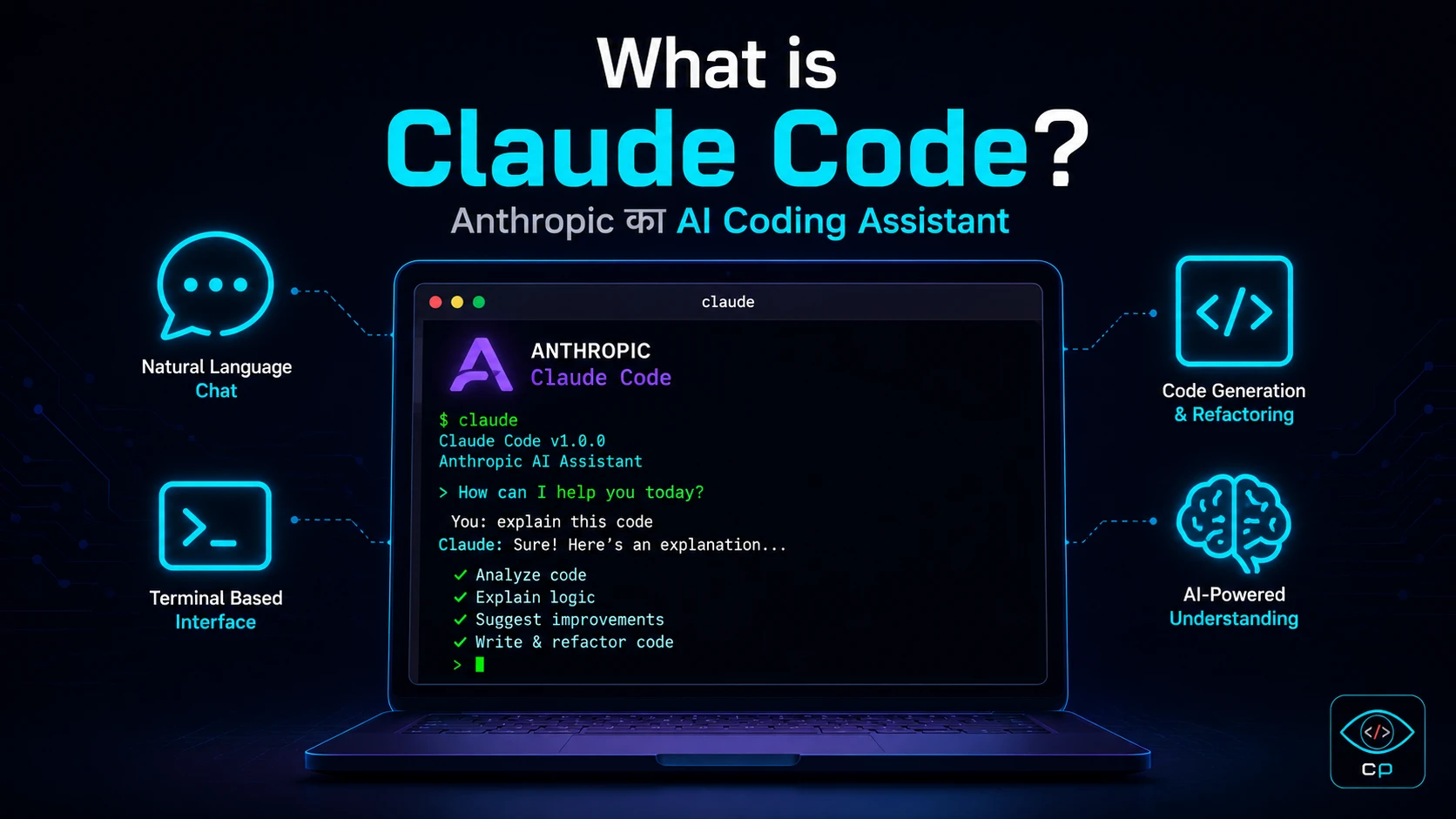 Claude Code — An AI coding assistant that runs in your terminal
Claude Code is an AI-powered coding assistant made by Anthropic — the same company behind the Claude chatbot you might use on claude.ai.
But Claude Code is fundamentally different from regular Claude. It is an agentic coding tool that:
- Runs directly in your computer's terminal
- Reads all the files in your project
- Writes code and saves files autonomously
- Executes terminal commands on your behalf
- Finds and fixes its own errors
- Even makes Git commits
In plain terms — Claude Code is an AI that can build entire projects based on your instructions, without you writing a single line of code.
💡 Simple Analogy: If Claude.ai is a chatbot that tells you what code to write, Claude Code is an AI developer who sits at your computer and actually writes it for you.
Installation and Setup — How to Get Started
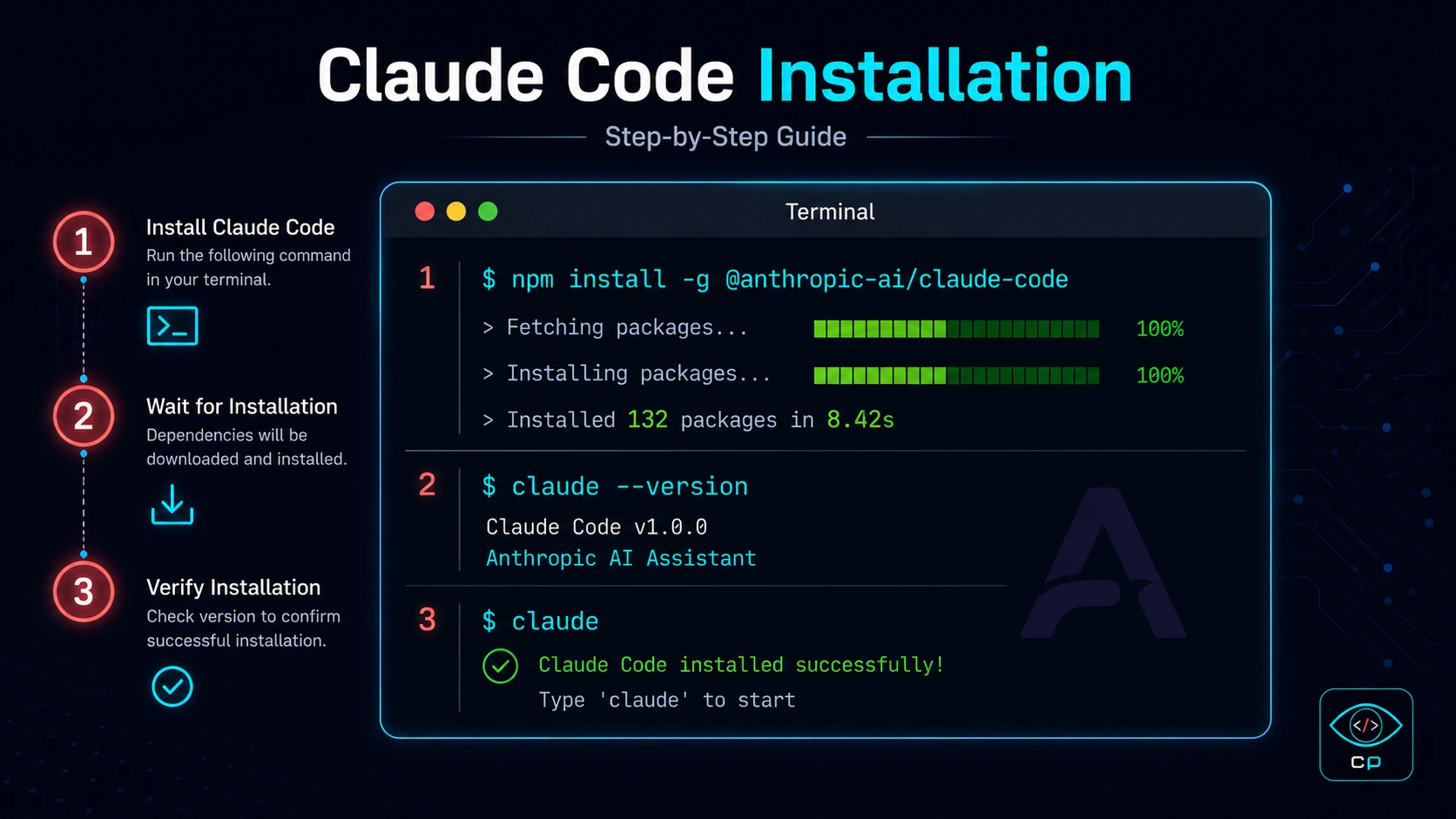 Claude Code installation — a straightforward step-by-step process
To install Claude Code, you need Node.js on your computer. If you don't have it, download it from nodejs.org first.
Step 1: Install
npm install -g @anthropic-ai/claude-code
Step 2: Set Your API Key
Create an API key on the Anthropic website and add it to your terminal:
export ANTHROPIC_API_KEY="your-api-key-here"
Step 3: Navigate to Your Project
cd your-project-folder
claude
Step 4: Just Talk to It
> Build me a dark-themed HTML sandbox tool with live preview
🔧 Pro Tip: Run Claude Code inside any existing project folder. It automatically reads all your files and understands the context. An empty folder works fine for new projects too.
The entire setup took me about 15 minutes — and I say that as someone who used to be intimidated by terminals.
Key Features — What I Actually Liked
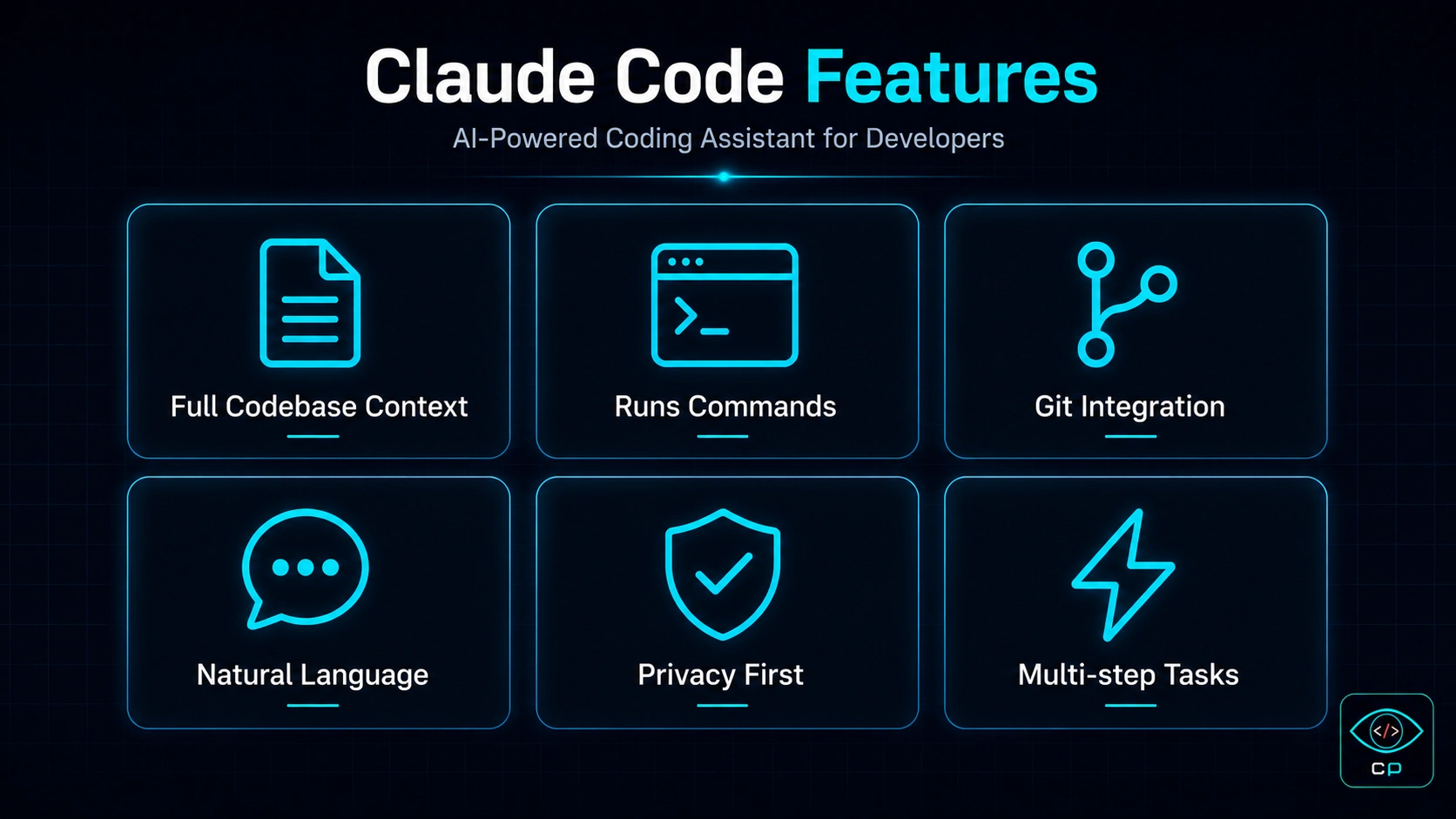 Claude Code's major features at a glance
1. Full Codebase Context
This is Claude Code's most powerful capability. When you run it inside a project folder, it reads all your files simultaneously. This means if you have a 50-file project, Claude Code understands the entire architecture and makes changes without breaking anything.
2. Terminal Command Execution
Claude Code doesn't just write code — it actually runs it. npm install, build commands, server startup — it handles all of this autonomously. You don't need to do anything manually.
3. Self-Correcting Error Handling
This was my personal favorite feature. When an error occurs, Claude Code reads it, analyzes the cause, and fixes it without asking you. More often than not, it resolves issues completely on its own.
4. Natural Language Commands
It understands conversational English — and even Hindi. I personally tested Hindi and Hinglish commands and they worked. "Is page ka design dark kar de aur navigation mein ek aur link add kar" — it understood and executed perfectly.
5. Git Integration
Claude Code can also run git commands. Write the code, commit it, push it — this entire cycle can be handled by Claude Code independently.
6. Multi-step Agentic Tasks
Give it a large task — like "Build me a complete calculator tool with dark theme, copy button, error handling, and mobile responsive design" — and Claude Code breaks it into subtasks, completes them one by one, and delivers a working result.
My Real Experience — Building CodePreviewer
When I was building CodePreviewer.com, I used Claude Code primarily for these tasks:
Building the JSON Viewer Tool
I typed: "Build a JSON viewer tool that displays JSON in a tree structure, can format and minify, has dark theme, and includes a copy button."
Claude Code:
- Created the full component file
- Added CSS styling
- Implemented error handling
- Added a one-click copy button
- Made it mobile responsive
All of this happened in about 8 minutes.
Fixing a Bug
The JWT Decoder tool had a bug — it would crash on invalid tokens. I simply wrote: "The JWT decoder crashes when given an invalid token."
Claude Code read the entire file, found the bug, fixed it, and verified the fix. I never even looked at the code.
"A Service Engineer with no coding knowledge built 11 developer tools with Claude Code's help. That's not a marketing tagline — that's my real story."
One Thing I Had to Learn
Claude Code can't do everything perfectly without guidance — it needs clear, specific instructions. The more precise your description, the better the output. Vague prompts produce vague results.
Claude Code vs Cursor vs GitHub Copilot
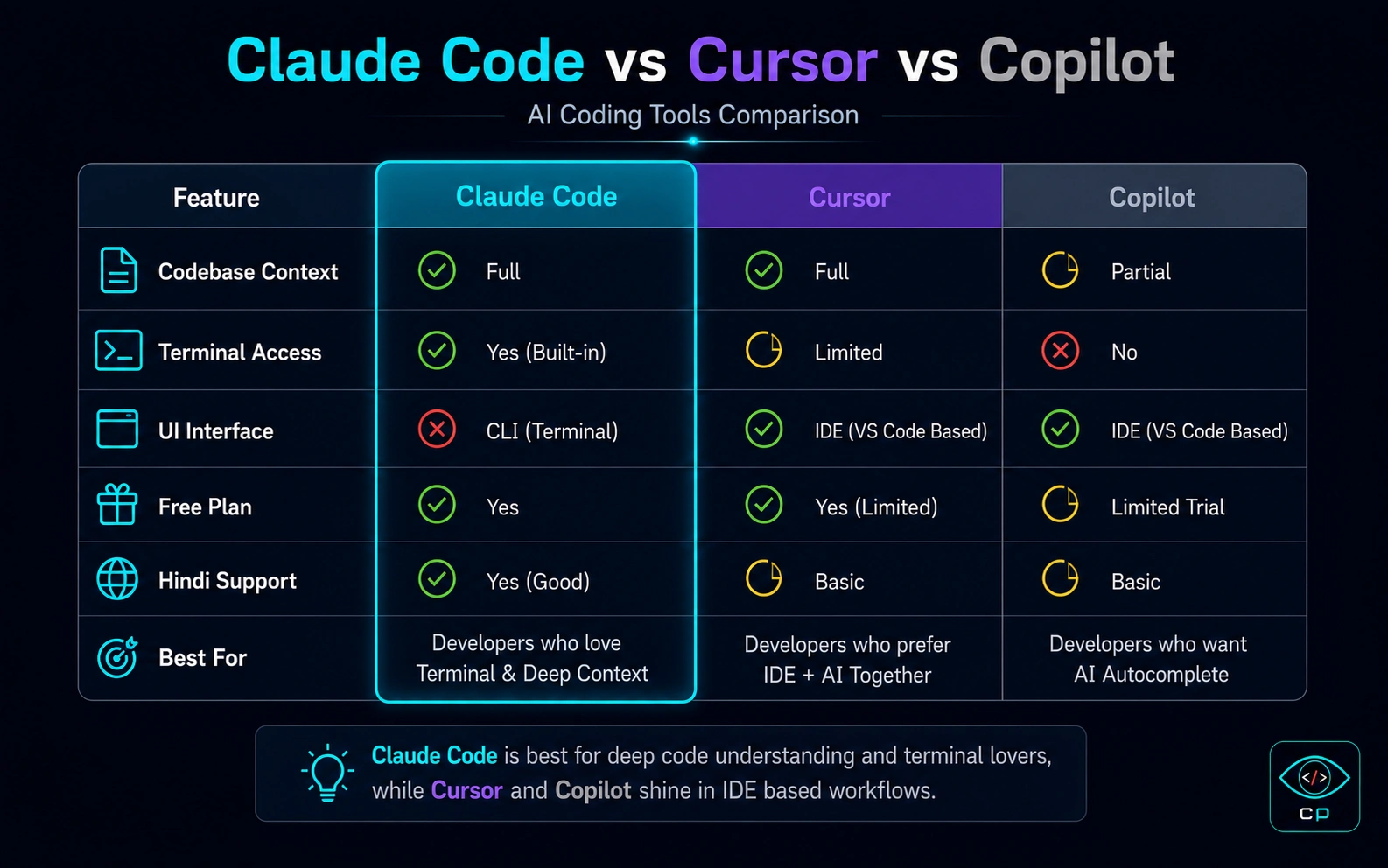 Comparing the three tools — what sets each apart
| Feature | Claude Code | Cursor | GitHub Copilot |
|---|---|---|---|
| Interface | Terminal (CLI) | GUI Editor | VS Code Plugin |
| Codebase Context | ✅ Full project | ✅ Good | ⚠️ Limited |
| Command Execution | ✅ Runs commands | ⚠️ Limited | ❌ No |
| Non-coder Friendly | ⚠️ Terminal needed | ✅ Very easy | ✅ Easy |
| Hindi Support | ✅ Yes | ✅ Yes | ⚠️ Partial |
| Free Plan | ⚠️ Limited | ✅ Free tier | ✅ Free tier |
| Agentic Tasks | ✅ Best in class | ✅ Good | ❌ No |
| Price | $20/month | $20/month | $10/month |
My Take:
- Cursor — If you want a visual editor that looks and feels like VS Code with AI built in, Cursor AI is the better choice. It is perfect for beginners. Check out our guide on How to Vibe Code with Cursor.
- Claude Code — If you want complex, multi-step tasks automated and aren't afraid of the terminal, Claude Code is unmatched.
- Copilot — If you already use VS Code and just want intelligent code suggestions, Copilot is sufficient and more affordable.
Personally, I use both Cursor AI and Claude Code. Cursor for simple tasks with a visual interface, Claude Code for complex agentic work that requires deep project understanding. You can compare more options in our AI Tools Directory.
Pricing — How Much Will It Cost?
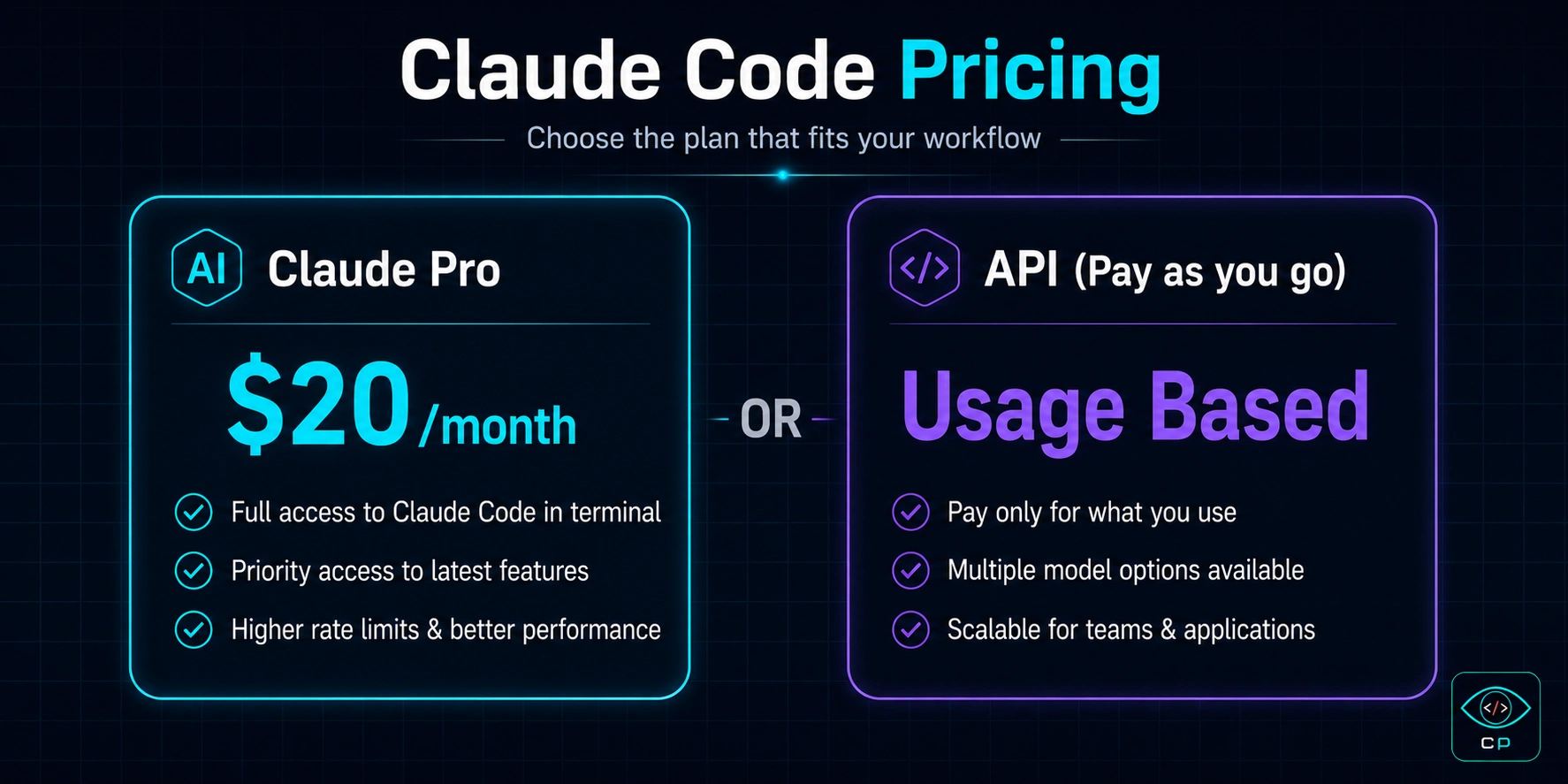 Claude Code pricing options explained
Option 1: Claude Pro ($20/month)
Subscribe to Claude.ai Pro and connect Claude Code to it. This is the easiest and most straightforward option. There is a monthly usage limit, but it is sufficient for most regular users.
Option 2: Anthropic API (Pay as you go)
For heavy users, access the API directly with per-token billing. If you are using Claude Code professionally and intensively, this can actually be more cost-effective than the flat subscription.
💡 My Suggestion: Start with Claude Pro ($20/month). If you consistently hit the usage limits, then switch to the API. Building the entire CodePreviewer.com required only the Pro plan.
Is It Value for Money?
Honestly — yes. Hiring a developer costs anywhere from $500 to $2,000+ per month. Claude Code lets you accomplish 30-40% of that work yourself for $20. The ROI is genuinely strong.
Pros and Cons — Honest Assessment
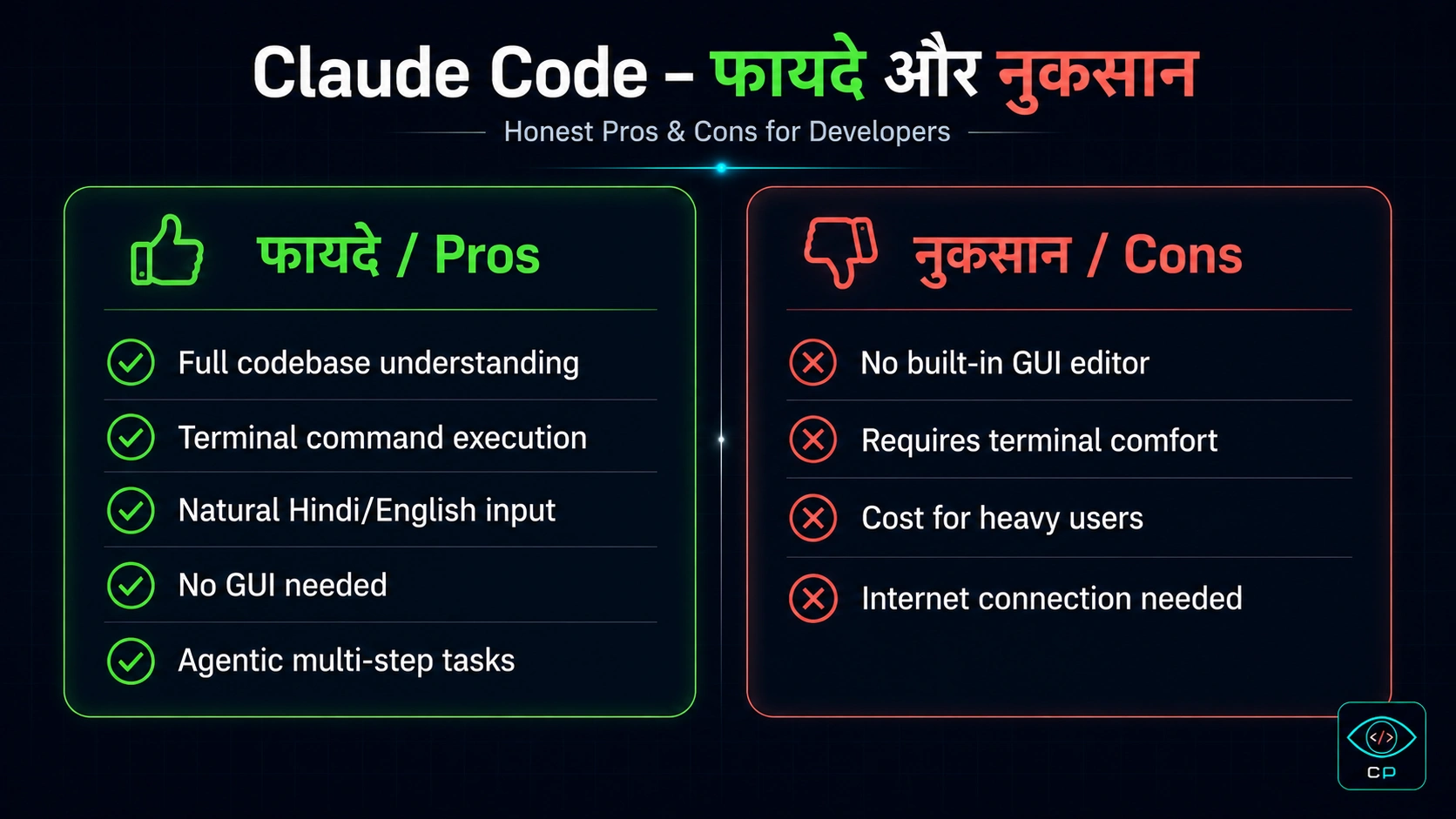 Claude Code — the good and the not-so-good
✅ Pros
- Full codebase understanding — reads and understands your entire project
- Terminal command execution — doesn't just write code, it runs it
- Natural language input — works in English and Hindi
- Self-correcting — finds and fixes its own errors
- Agentic multi-step tasks — handles large, complex workflows
- Git integration — can commit and push code
- Lightweight — no heavy GUI, runs anywhere
❌ Cons
- Terminal knowledge required — complete beginners face a learning curve
- No built-in GUI editor — no visual editing interface
- Cost — can get expensive for very heavy users
- Internet dependent — no offline functionality
- Occasionally slow — complex tasks take time to process
Who Should Use Claude Code?
✅ Claude Code is for you if:
- You are a Vibe Coder — you have the ideas but not the coding skills
- You want to build a side project without hiring a developer
- You want to add features to an existing project quickly
- You are comfortable with or willing to learn basic terminal usage
- You need to automate complex, multi-step tasks
- You are a blogger or content creator who wants to build your own website
⚠️ Probably not for you if:
- You are completely intimidated by terminals (try Cursor instead)
- You need a visual editing experience (Cursor is better for this)
- Your budget is zero (check GitHub Copilot's free tier)
Final Verdict and Rating
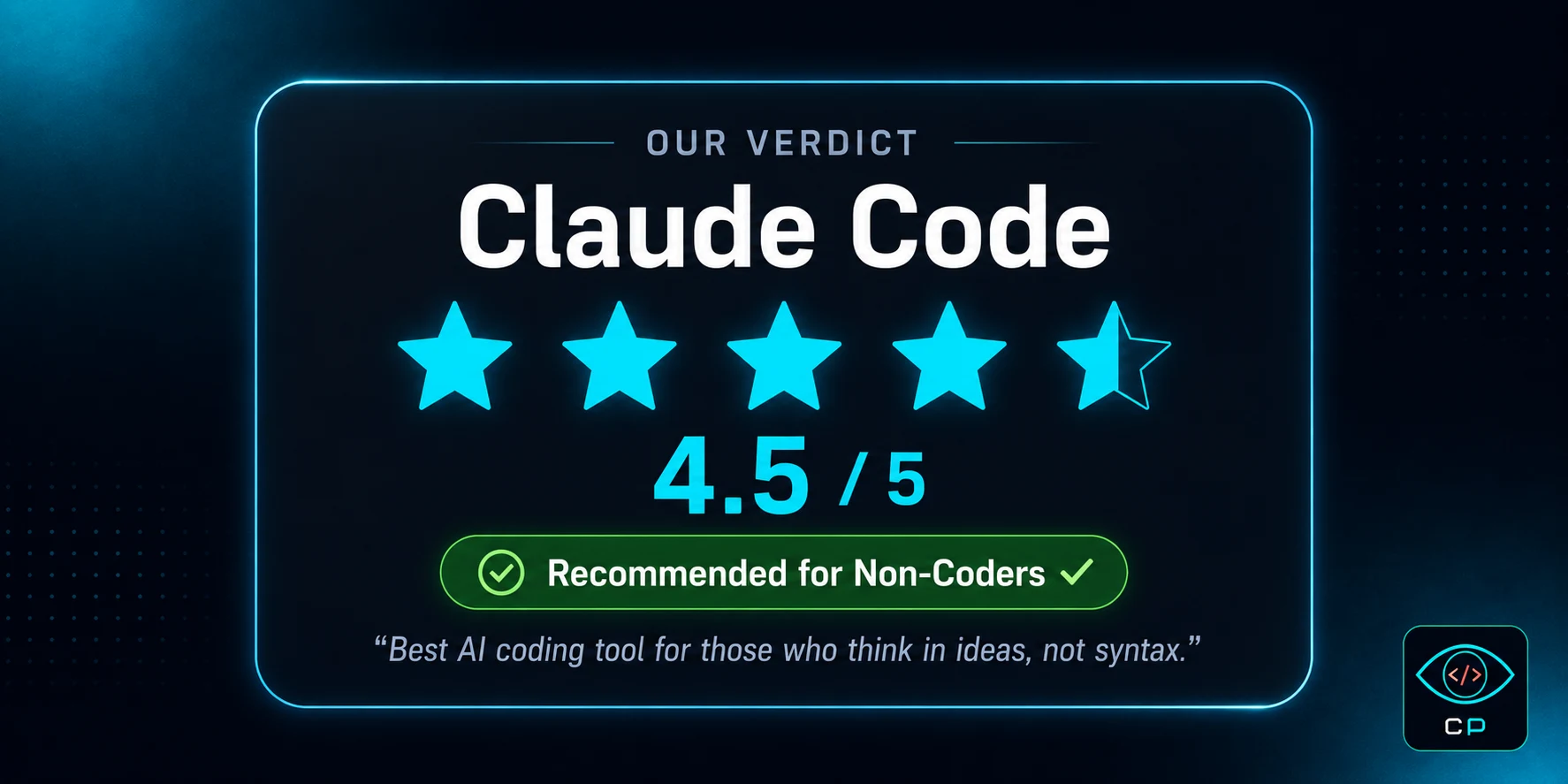 Claude Code — our final verdict
Claude Code — Overall Rating
| Features | ⭐⭐⭐⭐⭐ 5/5 |
| Ease of Use | ⭐⭐⭐⭐ 4/5 |
| Value for Money | ⭐⭐⭐⭐½ 4.5/5 |
| Non-coder Friendly | ⭐⭐⭐⭐ 4/5 |
| Speed & Reliability | ⭐⭐⭐⭐½ 4.5/5 |
Claude Code in 2026 is one of the most impressive products in the AI coding tools space. It is not just an autocomplete — it is a genuine AI developer that works alongside you.
I am the living proof. A Service Engineer with zero coding knowledge built an entire developer tools website using Claude Code. If I can do it, so can you.
Yes, the terminal feels intimidating at first. But within a week, you get comfortable. And once you do, the possibilities that open up are genuinely exciting.
Recommendation: Absolutely try it. Start with the Claude Pro trial, attempt a small project, and see what happens. If you have an idea, Claude Code can help make it real.
Frequently Asked Questions (FAQ)
Is Claude Code free or paid?
Claude Code is a paid tool. You need either a Claude Pro subscription ($20/month) or an Anthropic API key to use it. A limited free trial is available so you can test it before committing.
Can Claude Code be used without coding knowledge?
Yes! That is one of Claude Code's biggest strengths. You give instructions in natural language — English or even Hindi — and Claude Code executes them. Basic terminal familiarity is helpful but I used it successfully with near-zero terminal experience.
Claude Code vs Cursor — which is better?
Both serve different purposes. Cursor is a GUI editor that looks like VS Code — much easier for beginners. Claude Code is terminal-based and significantly more powerful for complex agentic tasks. For visual learners and beginners, Cursor wins; for power users who want deep project automation, Claude Code wins.
Does Claude Code work on Windows?
Yes, Claude Code works on Windows, Mac, and Linux. On Windows, the best experience comes with WSL (Windows Subsystem for Linux) but it also runs in PowerShell.
How is Claude Code different from GitHub Copilot?
GitHub Copilot is primarily a code autocomplete tool that works within VS Code. Claude Code is a complete AI developer that can create files, run terminal commands, fix errors, and manage entire projects autonomously. Copilot is cheaper and simpler; Claude Code is far more capable.
Does Claude Code understand Hindi commands?
Yes! I personally tested both Hindi and Hinglish commands. "Is page mein ek dark mode button add karo" works perfectly. Claude Code handles multilingual input remarkably well.
How long does it take to build a website with Claude Code?
It depends entirely on complexity. A simple landing page can be done in 30-60 minutes. A complex site like CodePreviewer — with 11 tools, bilingual content, and a full blog system — took me about 2-3 months working part-time alongside my full-time job.
Is Claude Code safe? Does my code go anywhere?
According to Anthropic's privacy policy, they may use inputs for model improvement (though this can be opted out via the API tier). For sensitive or commercial projects, use the API tier where you have more control over data retention settings.
Where is the best place to learn Claude Code?
Anthropic's official documentation is the most comprehensive starting point. Additionally, CodePreviewer.com's Guides section has Claude Code tutorials written from a non-coder's real-world perspective — both in Hindi and English.
Can Claude Code be used on mobile?
No, Claude Code requires a desktop or laptop since it runs in a terminal. You can use the regular Claude.ai on mobile, but the full Claude Code agentic experience is desktop-only.
Conclusion
Claude Code in 2026 is a tool that can genuinely change lives — particularly for those who have ideas but lack coding skills.
I am not telling you it is magical or that everything always works perfectly. But what it makes possible — a non-coder building a developer tools website — was almost unimaginable just a few years ago.
If you want to try it, our Guides section has more Claude Code tutorials to help you get started. And if you have questions — reach out, I reply personally.
— Kunal Prakash, CodePreviewer.com