
Are you someone who constantly comes up with brilliant business ideas, innovative SaaS concepts, or useful mobile app templates, but finds yourself held back because you do not know how to code? If that describes you, then this guide is written specifically for you!
In the traditional tech landscape, bringing a web application to life required spending months or years studying complex languages like JavaScript, HTML, CSS, Python, and SQL database relationships. Alternatively, you had to spend thousands of dollars outsourcing development to agencies. But in 2026, the rules of software development have been completely rewritten. We have entered the era of "Vibe Coding"—and at the absolute center of this paradigm shift is a revolutionary desktop application called Cursor AI.
Today, we'll walk through a beginner-friendly, highly encouraging guide on how you can transition from a non-coder to a confident software creator using Cursor AI.
What is Vibe Coding? (In Plain English)
Vibe Coding is a modern, natural-language-driven approach to building software. Rather than spending hours writing complex syntax, nesting brackets, or managing compiler libraries, you sit back, enjoy a cup of coffee, and explain your application concepts in plain, conversational English.
For example, you tell the editor:
"I want to build a clean task-tracking application where users write down their daily goals, and when they check a goal off, a beautiful confetti animation bursts across the screen."
The integrated AI model reads your description, plans the architecture, and writes the underlying code automatically. You do not need to worry about syntax errors, missing semicolons, or memory management. You act as the Movie Director, and the AI acts as your camera crew and production team. You focus entirely on the story and visual layout, and let the machines handle the technical execution. This concept is explored further in death-of-traditional-no-code-generative-ai.
 Cursor AI Composer Multi-file Code Generation
What is Cursor AI and Why is it Revolutionary?
Cursor AI is a professional desktop editor built on top of Visual Studio Code. While traditional editors only offer basic autocomplete code plugins, Cursor indexes your entire workspace. It understands how your frontend layouts communicate with your backend APIs and Supabase databases.
This contextual understanding allows Cursor to execute complex, multi-file edits simultaneously, which we compare in our cursor-vs-vs-code-2026 analysis.
Step 1: The Zero-Setup Installation Guide
To begin your software creation journey, follow these three simple onboarding steps:
- Download Cursor: Navigate to official download page of Cursor.sh and install the client. It runs natively on Windows, macOS, and Linux.
- Create a Project Folder: Create a standard folder on your desktop (e.g.,
"ConfettiApp"). - Open Folder in Cursor: Launch Cursor, click "Open Folder," and select your new directory. Your workspace is officially ready!
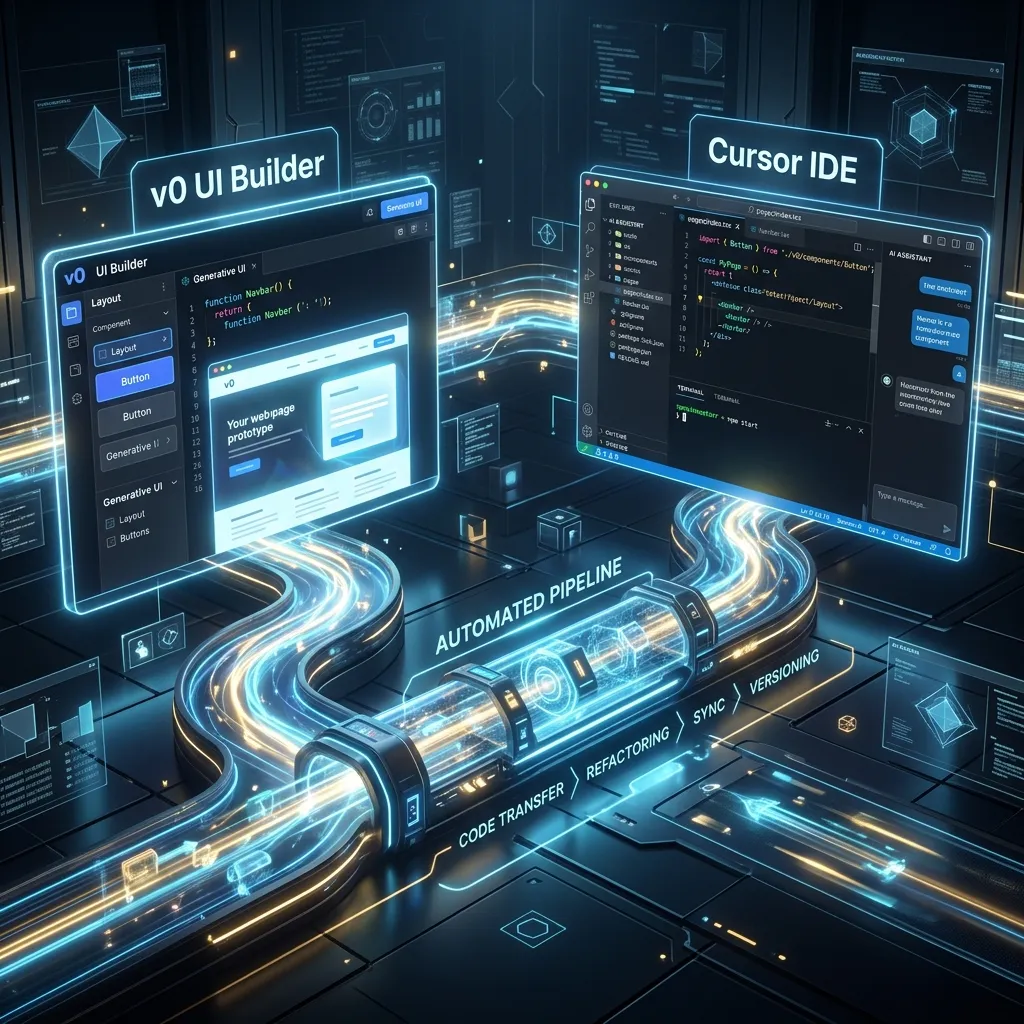 Migrating v0.dev Layouts into Cursor Workspace
Step 2: Constructing Your First Prompts
A common mistake made by non-coders is trying to write prompts in pseudo-technical jargon. Don't do this! Use simple, highly descriptive English.
- Vague Prompt (Avoid): "Make a calculator website."
- Sleek Prompt (Preferred): "Create a modern, glassmorphic calculator application. The background must be dark navy blue. When a user clicks a number button, it should trigger a glowing cyan neon hover effect. Ensure the calculator performs addition, subtraction, multiplication, and division. Use React and Tailwind CSS."
Input this prompt into Cursor's Composer panel (Ctrl + L / Cmd + L), and watch the AI write the code files in real-time. For a complete step-by-step breakdown of this flow, check out our prompt-to-product-step-by-step-ai blueprint.
Step 3: Troubleshooting and Fixing Errors Without Panic
As you build features, you will eventually encounter a red error message. Don't worry! Errors are a standard part of development.
- Copy the Error: Highlight the entire red text block.
- Input to Chat: Paste it into Cursor's chat window and prompt: "I am getting this error. Please translate what it means in simple English and tell me how to resolve it."
- Apply the Fix: The AI will rewrite the faulty code blocks. Read our debugging-for-non-coders-ai-code manual for advanced self-healing workflows.
The 3 Essential Rules of Vibe Coding
- Iterate in Tiny Steps (Modular Shipping): Do not try to build a massive B2B platform on day one. Build the basic login screen on day one, add database tracking on day two, and integrate Stripe payments on day three.
- Provide Rich Context: Use the
@symbol inside Cursor to direct the AI's focus to specific files or libraries. - Commit Regular Backups: Use Git or local version histories. If a future prompt breaks your code, you can easily restore your last working checkpoint.
Conclusion & Actionable Steps
In 2026, software development is no longer defined by memorizing syntax; it is defined by logical problem-solving and product vision. If you can think logically and write descriptive instructions, you possess the capacity to build software. Install Cursor today and build your first MVP!
[!IMPORTANT] All developer utilities hosted on CodePreviewer.com operate 100% client-side inside your browser sandbox. Your proprietary application code, keys, and ideas never touch our servers, protecting your IP completely.
Frequently Asked Questions (FAQs)
Q1: Do I need a math background to become a vibe-coder?
Not at all. You do not need to understand algebra or complex database algorithms. The AI models handle the advanced calculations and array mapping in the background, allowing you to focus strictly on user experience.
Q2: Can I publish AI-generated apps to the App Store?
Yes. Since Cursor AI writes standard React Native or Flutter structures, you can easily package your compiled folders and upload them to the Google Play Store and Apple App Store.
Q3: What should I do if the AI misinterprets my instructions?
Simply guide it back. Prompt: *"No, that's not what I wanted. Make the layout look like this: [describe adjustments]." * The AI will adjust the code and apologize for the misunderstanding.
Q4: Do I need a powerful computer to run Cursor AI?
No. Cursor AI is highly optimized and lightweight. The heavy LLM processing runs securely on cloud servers, meaning you can easily vibe-code on a standard laptop or desktop.
Q5: How does this workflow ensure data security?
Vibe coding locally means your proprietary logic is stored on your machine. When you need to test code or format data, using 100% client-side developer tools like the ones on CodePreviewer.com guarantees that your API keys and configuration files never leave your browser sandbox. This is critical for maintaining zero-trust privacy while building scalable MVPs.
Q6: Can I build mobile apps this way?
Yes, using frameworks like React Native or Expo, you can prompt Cursor to generate mobile-friendly code. The core logic of vibe coding applies universally, whether you're targeting web browsers or app stores.
Frequently Asked Questions
1. Are these AI tools safe to use for production code?
Yes, but you should always review the generated output. Tools like Cursor and Bolt.new provide excellent starting points and functional components, but human oversight ensures the final application is secure, performant, and aligned with your specific business logic.
2. Can I use CodePreviewer alongside these tools?
Absolutely! One of the best workflows for vibe coding is to take the UI components generated by tools like v0 or Bolt.new, and paste them directly into CodePreviewer's HTML Sandbox. This allows you to instantly test, tweak, and validate the code entirely client-side without spinning up a local development environment. Because CodePreviewer processes everything in your browser, your code remains 100% private.
3. Will traditional no-code platforms disappear?
They won't disappear overnight. Platforms like Bubble still offer robust backend integrations and visual database management. However, generative AI tools are bridging the gap rapidly, making it easier for non-coders to create complex, scalable applications without being locked into a proprietary visual editor.