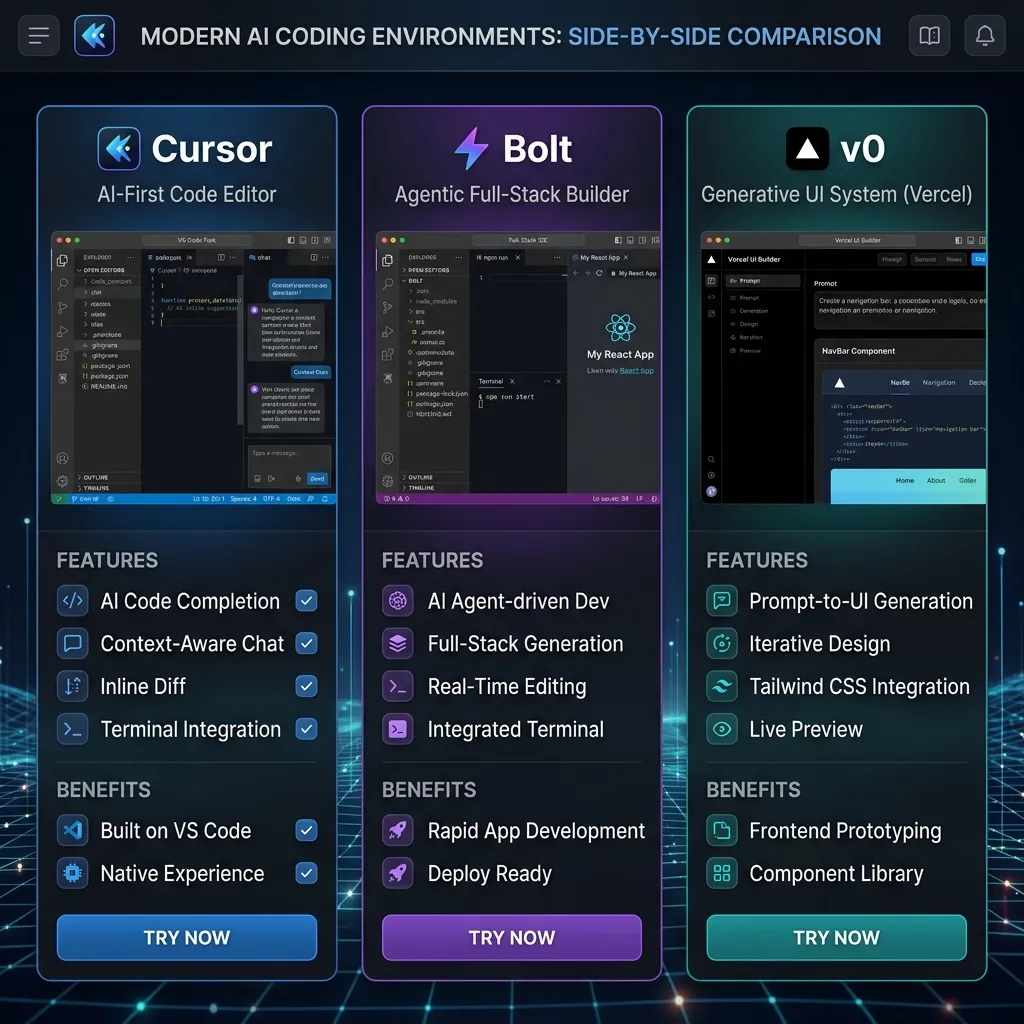
The web development landscape in 2026 is nothing short of extraordinary. The days of spending years studying complex programming syntax, debugging missing semicolons, or enrolling in expensive computer science degrees just to launch a basic website are officially over. The meteoric rise of Generative AI has completely democratized software engineering, giving non-technical founders, product managers, and creative professionals the superpower to convert thoughts into fully functional web applications in a matter of hours.
However, this rapid evolution has sparked a massive battle between three titans in the AI development space: v0.dev, Bolt.new, and Cursor AI. While all three tools leverage advanced LLMs, their core philosophies, execution structures, and targets are vastly different. In this ultimate showdown, we will perform a deep comparative analysis to help you decide which tool deserves a spot in your technical workflow.
The Contenders: A High-Level Introduction
Before we dive into the complex technical trade-offs, let's establish the fundamental identity of each platform:
- v0.dev (by Vercel): A visual-first frontend component generator that translates raw prompts or uploaded screenshots into pixel-perfect React layouts.
- Bolt.new (by StackBlitz): An in-browser full-stack development workspace that lets you build, connect databases, compile, and deploy entire web apps without setting up local software.
- Cursor AI: A powerhouse desktop code editor (built on VS Code) integrated with advanced multi-file indexing, perfect for professional engineers building large-scale projects.
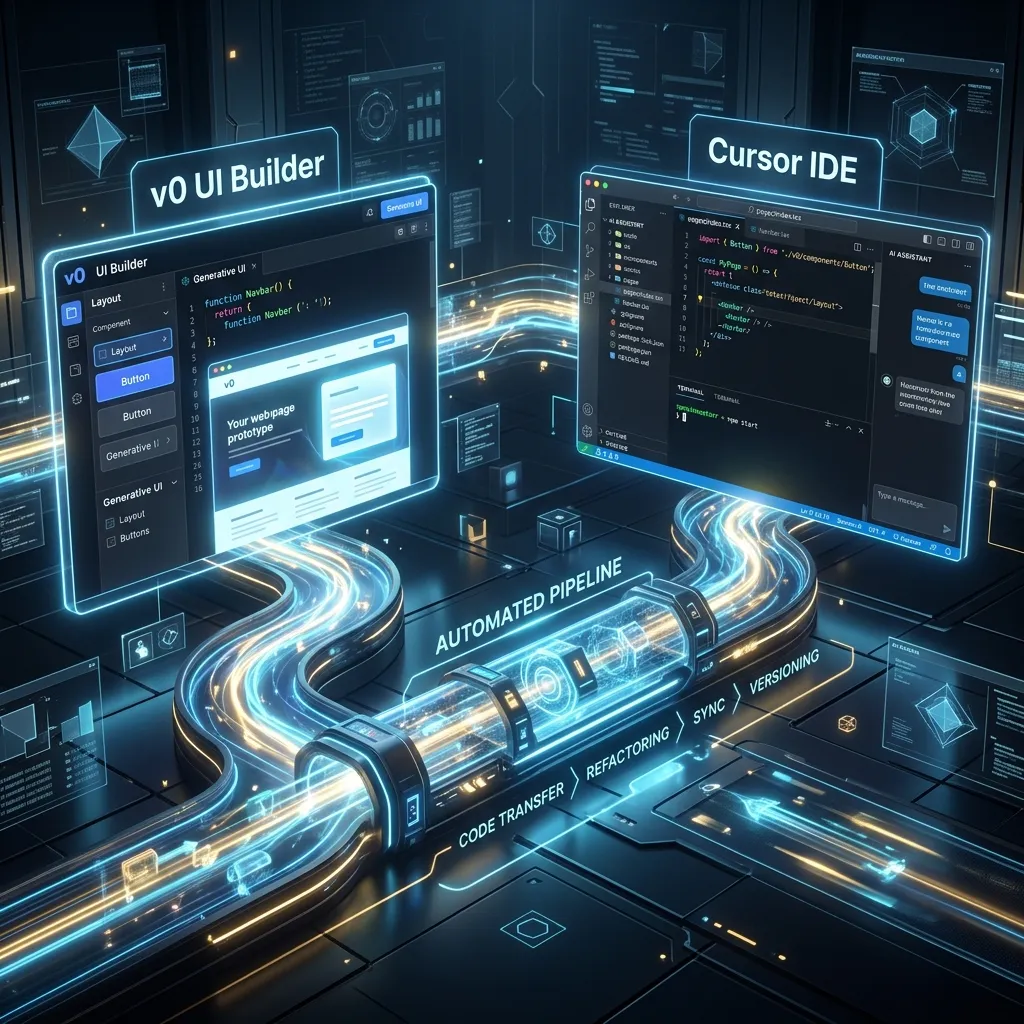 Cursor and v0.dev Hybrid Architecture Design
v0.dev: The Unrivaled Generative UI Master
Developed by the team at Vercel, v0.dev is the absolute king of frontend design and rapid UI prototyping. It uses modern frameworks (primarily React, Tailwind CSS, and shadcn/ui) to construct visually stunning interfaces from simple text prompts.
Core Strengths of v0.dev:
- Flawless Design Aesthetics: v0 excels at modern design. The components it generates out-of-the-box look sleek, professional, and completely tailored.
- Visual Micro-Edits: You can click directly on any element in the rendered preview and instruct the AI chat to modify it (e.g., "Make this navbar glassmorphic" or "Change the font family to Outfit").
- Screenshot-to-Code: You can upload an image of any dashboard or landing page, and v0 will output a responsive, structured React clone in seconds.
Major Limitations:
- Frontend Only: v0 does not provide backend environments. It cannot execute active API routers, spin up database tables, or manage persistent authentication flows without manual code extensions.
Read more in our detailed v0-by-vercel-review masterclass.
Bolt.new: The Ultimate In-Browser Full-Stack OS
Powered by StackBlitz, Bolt.new is a groundbreaking tool because it leverages WebContainers to run a complete virtual operating system directly in your web browser tab.
Core Strengths of Bolt.new:
- Zero Local Setup: No terminal debugging, no Node.js installations, and no compiler configurations. Everything is executed in the browser sandbox.
- Full-Stack Orchestration: The AI can install npm packages, write Express or Next.js backend servers, configure environment variables, and establish database schema tables.
- Instant Production Deployment: With a single click, Bolt.new bundles your assets and pushes them directly to Netlify or Vercel, giving you a live production URL.
Major Limitations:
- Context Window Exhaustion: Since all files reside in virtual browser memory, large applications can quickly run out of memory or hit LLM token limits, leading to generation errors.
- Sub-optimal UI Defaults: While it generates functional layouts, the default styling is often less refined than v0.dev.
Refer to our complete build-full-stack-app-with-bolt tutorial for more.
 Software Architect Workspace Console
Cursor AI: The Limitless Local Desktop IDE
Cursor AI is a professional desktop application designed to replace Visual Studio Code. In 2026, it is the absolute favorite tool of senior software engineers and advanced vibe-coders.
Core Strengths of Cursor AI:
- Limitless Directory Scalability: Since it operates directly on your local SSD, you can manage enterprise-grade projects with thousands of files without lag.
- Deep Codebase Context: Using
@Codebase, Cursor indexes your entire project, creating semantic vectors to understand relationships between folders. - Zero Vendor Lock-in: You retain complete, absolute ownership of your files. You can push them to GitHub or host them on your preferred server architecture.
Major Limitations:
- Setup Overhead: You must possess basic computer skills to install Node.js, manage a local Git repository, and run terminal build commands.
- Slightly Steeper Learning Curve: It is a professional development tool rather than a chat-and-go browser interface.
Master the fundamentals in our cursor-ai-vibe-coding-2026 manual.
The Face-Off: Direct Comparison Matrix
| Feature / Metric | v0.dev | Bolt.new | Cursor AI | | :--- | :--- | :--- | :--- | | Type | Web-Based UI Generator | Web-Based Full-Stack IDE | Desktop Code Editor | | Primary Focus | Frontend Aesthetics | Rapid Full-Stack Prototyping | Long-Term Code Scalability | | Database Integration | Manual Coding Required | Automatic (Supabase/Firebase) | Automated & Scalable (Any Db) | | Local Setup Cost | Zero (0) | Zero (0) | Medium (Requires Node/Git) | | Code Export | Simple Copy-Paste / CLI | Zip Download / Git Push | Native Local Workspace | | Best For | UI Designers & Founders | Non-Coders & Indie Hackers | Professional Software Engineers |
Best Use Cases: Which Tool Should You Choose?
Choose v0.dev if:
- You need to rapidly design landing pages, marketing assets, or UI dashboards from wireframes.
- You have an existing UI screenshot and need high-quality React/Tailwind code to pass to a developer.
Choose Bolt.new if:
- You are a non-technical entrepreneur who wants to build and launch a fully functional B2B SaaS MVP with authentication and active database tracking in under 48 hours.
- You want to build without managing files on a local desktop.
Choose Cursor AI if:
- You are building an enterprise-grade platform that requires complex logic, unique backend custom integrations, and strict modularity.
- You want full control over your codebase and plan to maintain the project long-term.
The Perfect Hybrid Workflow (The God Stack)
Top-tier developers and successful indie-hackers in 2026 do not restrict themselves to a single platform. Instead, they harness the unique superpowers of all three:
- Design UI with v0: Draft your stunning storefront and dashboard designs inside v0.dev to secure top-tier aesthetics.
- Scaffold MVP with Bolt: Export your v0 components into Bolt.new. Instruct the AI to wire user authentication and integrate a Supabase database.
- Scale & Maintain with Cursor: Once the MVP is validated, export your Bolt.new repository to GitHub. Pull the codebase locally, and use Cursor AI to optimize routes, refactor features, and scale up.
This workflow is explored extensively in our ultimate-workflow-v0-cursor manual.
Conclusion & Actionable Summary
Generative AI has fundamentally eliminated the barrier between ideas and execution. Whether you choose the beautiful designs of v0, the lightning-fast deployment of Bolt.new, or the limitless engineering power of Cursor AI, the key is to stop planning and start shipping. Select your tool and launch your MVP this week!
[!IMPORTANT] All developer utilities hosted on CodePreviewer.com execute 100% client-side inside your browser's sandboxed memory. We never upload your project files, API credentials, or database keys to remote servers, ensuring ultimate security.
Frequently Asked Questions (FAQs)
Q1: Can I integrate Stripe payments into Bolt.new?
Yes! Bolt.new's full-stack environment allows you to install npm packages like @stripe/stripe-js and configure serverless backend endpoints to handle Stripe payment validation seamlessly in browser memory.
Q2: What is the main difference between Cursor and Bolt.new?
Bolt.new runs a simulated Node environment in your web browser, handling installations and hosting automatically but limiting scaling. Cursor AI is a professional local desktop code editor that handles massive directories but requires a local setup.
Q3: Is the code generated by these tools safe from GPL licenses?
Yes. The AI models used (like Claude and GPT) generate custom code patterns based on training parameters and are not direct copies of copy-left repositories, preventing licensing issues. Read more on debugging-for-non-coders-ai-code.
Q4: Which tool is the most cost-effective for a solo founder?
If you have basic technical skills, Cursor AI Pro ($20/month) is the most cost-effective tool as it offers unlimited local generation capabilities, codebase indexing, and multi-file composer edits.