
Are you a founder with a brilliant startup idea but completely lack the technical coding skills or software development background? Are you looking to avoid spending thousands of dollars hiring expensive agencies just to get a basic prototype? Don't worry. Today, I'll walk you through a detailed, step-by-step developer guide on creating a fully functional full-stack web application using Bolt.new—directly inside your web browser without writing a single line of manual code.
AI-assisted development has completely revolutionized the tech industry, and Bolt.new is at the very forefront of this shift. Let's dive deep into how browser-based scaffolding works and build our first full-stack application together.
What is Bolt.new and Why is it Revolutionary?
In traditional software development, the absolute biggest barrier for beginners is setting up the local development environment. Installing Node.js, managing npm dependencies, resolving terminal path conflicts, and configuring Git and compilers can quickly become an absolute nightmare.
Bolt.new completely bypasses this friction by running a fully simulated development environment (called WebContainers) directly inside your standard web browser tab. You do not need to install anything on your local machine. By writing natural language instructions (prompts), the AI automatically configures your frontend, drafts the backend servers, and establishes database persistence. It feels like absolute magic.
 v0 and Bolt.new Full-Stack Scaffold Workspace
The Magic of Browser-Based Scaffolding (WebContainers)
WebContainers are a groundbreaking technology created by StackBlitz. They compile a lightweight Operating System and Node.js environment into WebAssembly, running it locally in the browser sandbox. When using Bolt.new:
- Node.js Environment: Your servers compile and run strictly inside your browser console.
- Dependency Installation: Packages like
lucide-react,recharts, orsupabase-jsare fetched and unpacked locally inside browser memory. - Speed & Live Hot-Reloading: Code changes render in milliseconds, providing an instant feedback loop.
- Security & IP Protection: All processes run client-side. No unverified third-party code runs on remote servers, protecting your intellectual property.
Step-by-Step Tutorial: Building a Cyberpunk Task Tracker
To illustrate the power of Bolt.new, we will build a production-ready "Full-Stack Task Tracker" featuring secure user login, relational database persistence, and a highly polished cyberpunk dashboard.
Step 1: Transform Your Idea into a Highly Detailed Prompt
Head to Bolt.new inside your browser. You will be greeted by an intuitive chat interface. The quality of your generated application depends heavily on the clarity of your initial prompt.
Avoid vague prompts like:
"Make a task list website."
Use detailed prompts like:
"Create a professional, production-ready full-stack Task Management dashboard using React, Vite, and Tailwind CSS. The interface must use a sleek cyberpunk theme featuring dark navy backgrounds (
#0d1117) and glowing cyan (#00d4ff) and coral (#ff6b6b) borders. Include a visual Kanban board, interactive analytics charts, category tags (Work, Personal, Urgent), and complete Supabase relational database integration for persistent task storage and secure user auth."
Step 2: Let the AI Orchestrate (The Scaffolding Phase)
Upon submitting your prompt, Bolt.new starts scaffolding your application immediately. It reads the requirements, drafts a directory structure, installs necessary packages, and compiles the code.
You can monitor the active terminal running inside the preview window. Within 2 minutes, the AI will complete the scaffold, and you will see a fully responsive, interactive application layout running in the preview window on the right side of the screen.
Step 3: Database Integration with Supabase
To store tasks persistently for multiple users, we need a relational database. Supabase provides a fantastic, developer-friendly backend.
- Create Supabase Account: Register for a free tier project on Supabase.
- Execute Database Schema: Navigate to the SQL Editor in Supabase and run the following script:
create table tasks ( id uuid default gen_random_uuid() primary key, user_id uuid references auth.users not null, title text not null, category text check (category in ('Work', 'Personal', 'Urgent')), status text check (status in ('todo', 'in_progress', 'completed')) default 'todo', created_at timestamp with time zone default timezone('utc'::text, now()) not null ); - Link API Keys: Locate the
.env.localfile inside Bolt's file explorer and paste your credentials:VITE_SUPABASE_URL=https://your-project-id.supabase.co VITE_SUPABASE_ANON_KEY=your-anon-key
Step 4: Iterative Customization & Micro-Animations
Once the initial scaffold is complete, you can iteratively customize the design and features by conversing with the AI.
Try prompting:
- "Enforce premium typography using Google Fonts Outfit for headings and Inter for body text."
- "Add interactive hovering micro-animations to all dashboard metrics cards."
- "Implement a priority ordering system so urgent tasks automatically sit at the top of the Kanban lanes."
If any compilation or database connectivity error occurs, simply click the "Fix Error" button next to the terminal log. The AI will self-diagnose the bug and rewrite the problematic code safely, following the patterns of debugging-for-non-coders-ai-code.
Step 5: One-Click Live Production Deployment
Once your application is fully functional and styled, launching it to production is incredibly simple.
Click the "Deploy" button located at the top-right corner. Bolt.new will build your production bundles, configure optimized static assets, and deploy them directly to Netlify or Vercel in seconds. You will receive a live, shareable URL to present to investors, stakeholders, or first-wave users.
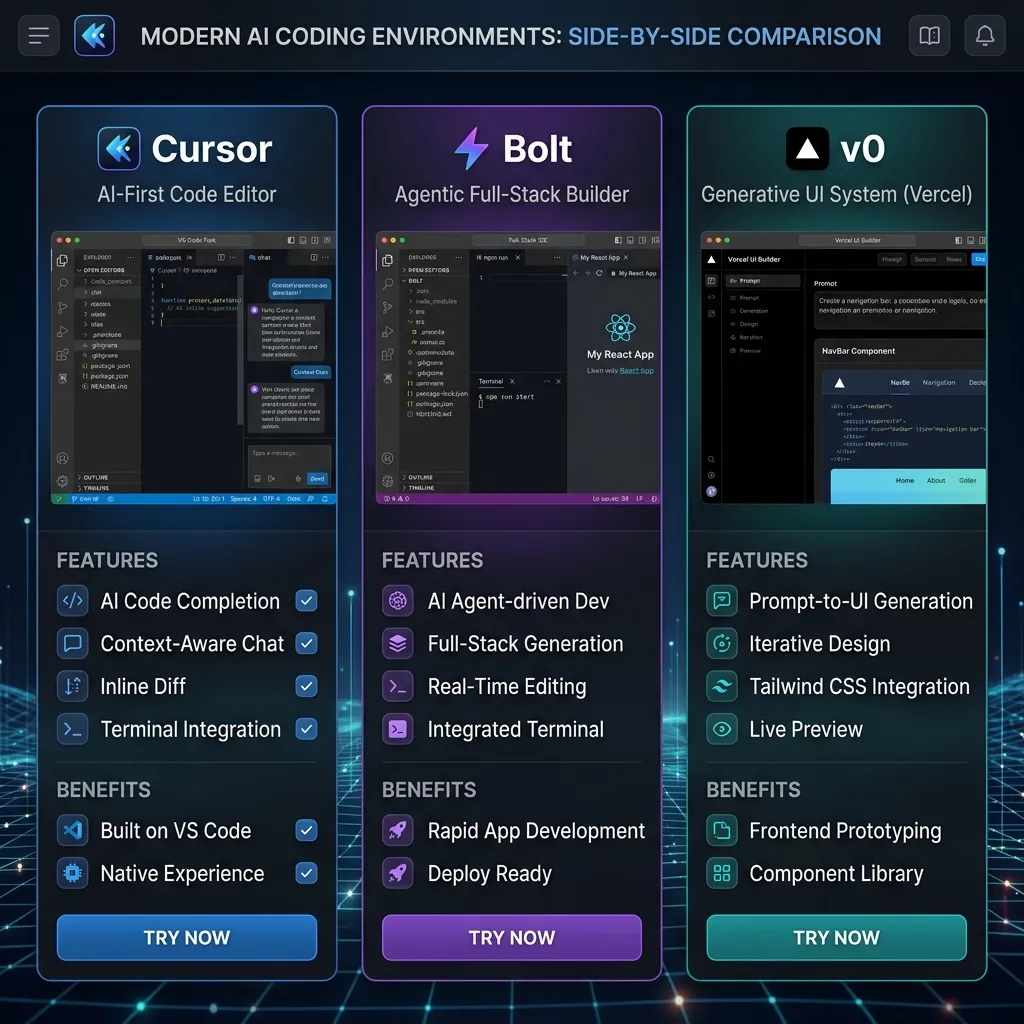 Cursor vs Bolt.new vs v0.dev Niche Comparison
Avoiding Token Limits & AI Development Pitfalls
Building large applications using prompt-driven platforms can occasionally hit token boundaries. Prevent AI context loss with these tips:
- Write Modular Components: Break down large files. For example, separate your
Dashboard.tsxlayout intoSidebar.tsx,Header.tsx, andKanbanLane.tsx. - Reset Chat Contexts: Once a core feature (like User Auth) is completed and verified, start a fresh chat thread to clear conversational memory overhead.
- Leverage Client-Side Tools: Test components locally or utilize browser sandbox environments before building heavy logic extensions. Refer to our lovable-vs-bubble-no-code-2026 review for code-export alternatives.
Conclusion & Summary
For founders and indie hackers, the speed of shipping is the ultimate competitive advantage. Bolt.new removes all complex setup barriers, allowing you to focus purely on business logic, product UI/UX, and marketing.
You no longer need to study syntax for months to bring an application to life. Start prompting, building, and deploying your first MVP today!
[!TIP] Did you know that all developer tools on CodePreviewer.com operate 100% client-side? This means that none of your project credentials, code snippets, or API keys are ever uploaded to a remote server, ensuring complete IP protection.
Frequently Asked Questions (FAQs)
Q1: Is there a cost to hosting full-stack apps built with Bolt.new?
No! Bolt.new integrates seamlessly with Netlify, Vercel, and Supabase, all of which offer extremely generous free tiers. You can run, persist database tables, and host your MVP 100% free until your traffic scales.
Q2: Can I download my code if I want to switch to a local IDE?
Absolutely. Click the "Download" icon in the workspace header to download a compressed zip file of your entire project directory. You can easily open this file in VS Code or Cursor AI to continue building locally, as detailed in our cursor-vs-vs-code-2026 guide.
Q3: How do I handle Stripe payments inside browser WebContainers?
You can securely implement the @stripe/stripe-js package. Ask the AI to write a serverless API function to communicate with Stripe's servers, and store your secret payment tokens securely inside environment variables.
Q4: What should I do if Bolt.new runs into an infinite correction loop?
If the AI keeps repeating the same mistake, click the 'Revert' icon to step back to the last working code version, refine your prompt to be highly specific, and try again with clear, smaller instructions.